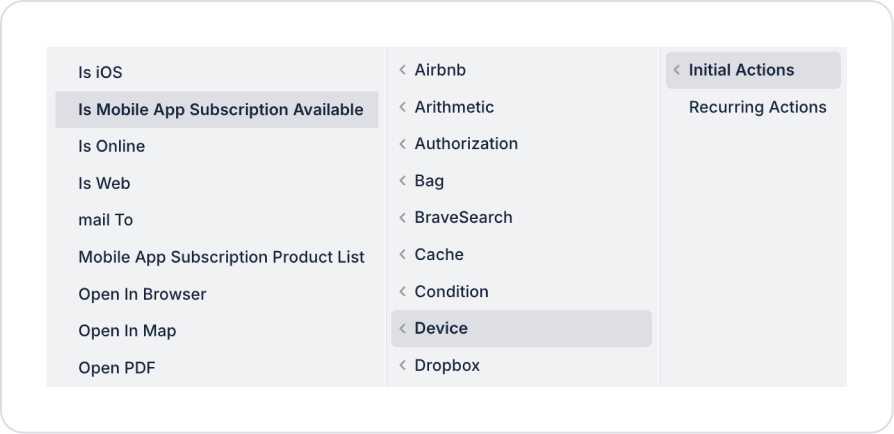
Kuika's Is Mobile App Subscription Available action is used to check whether a specific user has an active mobile app subscription for the selected mobile platform (iOS/Android). The action returns a boolean (true/false) result, which can be used to create conditional flows within the application.
This action is particularly preferred in scenarios such as premium feature control, subscription verification, access restrictions, and subscription redirection.
Technical Specifications
Mobile Subscription Status Check (Device Panel): Checks whether there is an active mobile subscription for the specified user and platform.
Boolean Result: If the action result is true, the user has an active subscription; if false, there is no active mobile subscription.
Application-Based Control: The check is performed for iOS or Android applications based on the selected deviceType value.
Mobile Compatibility: Available for mobile applications.
Is Mobile App Subscription Available Action Application Steps
1. Defining the Action in UI Design
Open your project on the Kuika platform.
Go to the UI Design module and select the relevant screen.
Select an element that will initiate the subscription check (e.g., button).
Select the relevant element and add the Device → Is Mobile App Subscription Available action from the + ADD ACTION menu, depending on the trigger event to be used.
2. Configuring Action Parameters
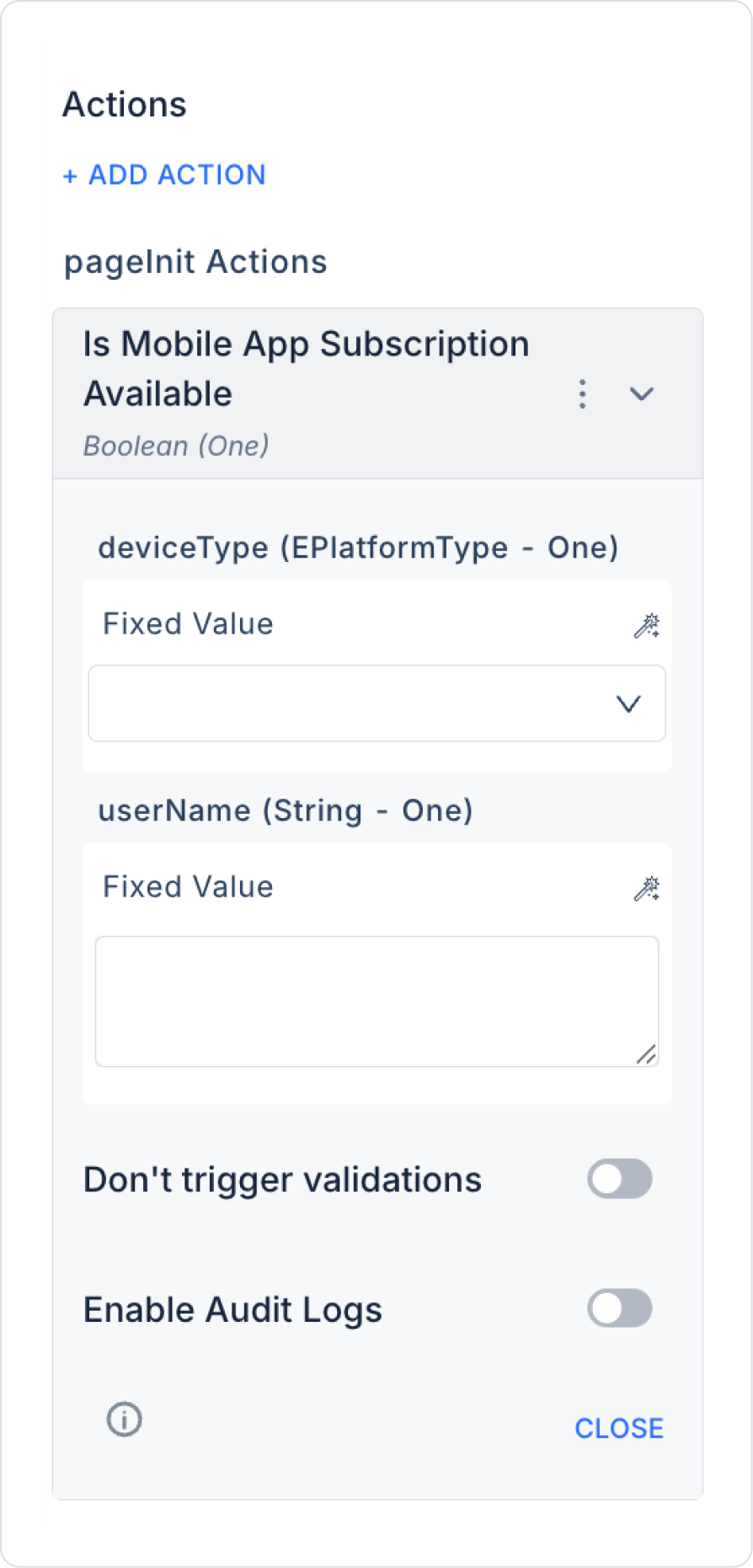
deviceType (EPlatformType – required): Specifies the mobile platform on which the subscription check will be performed. Select iOS or Android from the dropdown list. This parameter determines which app store and platform the check will be performed on.
userName (String – required): The registered username or email address of the user whose subscription status will be checked. It is usually linked via the Symbol Picker tool using one of the following sources:
CurrentUser.Email
Action Result
Screen Input
Fixed Value
3. Optional Settings
Enable Audit Logs (Boolean – optional): When enabled, the mobile subscription check process is added to the audit log records. This allows you to track which user performed the subscription check, for which platform, and when.
Usage Scenario: Premium Feature Access
When a user wants to access premium content in a mobile application, the relevant action is triggered.
If the Result is true: The user is redirected to the premium content.
If the Result is false: The user is redirected to the subscription purchase or information screen.
This structure allows subscription status control to be managed in real time and on a platform basis.
Technical Risks
Incorrect Platform Selection: Ensure that the deviceType parameter is compatible with the platform on which the user subscribed.
Invalid User Information: The userName field must be linked to a user registered in the system and using the mobile application.
Audit Tracking: If subscription control is a critical decision mechanism, it is recommended to enable the Enable Audit Logs option.