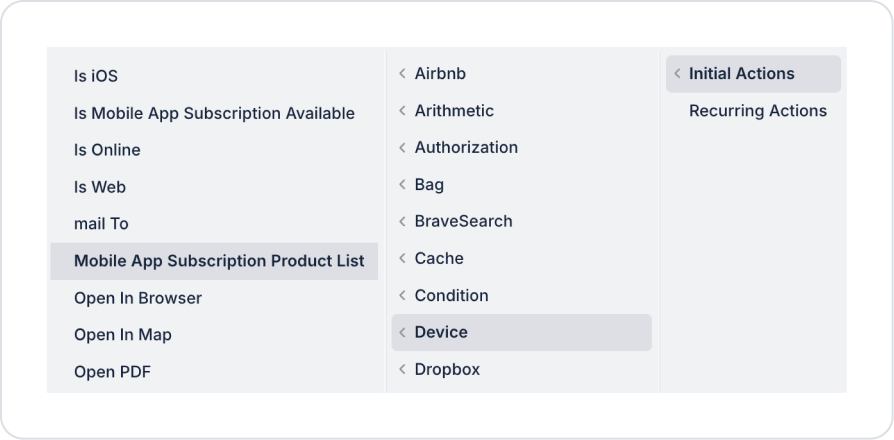
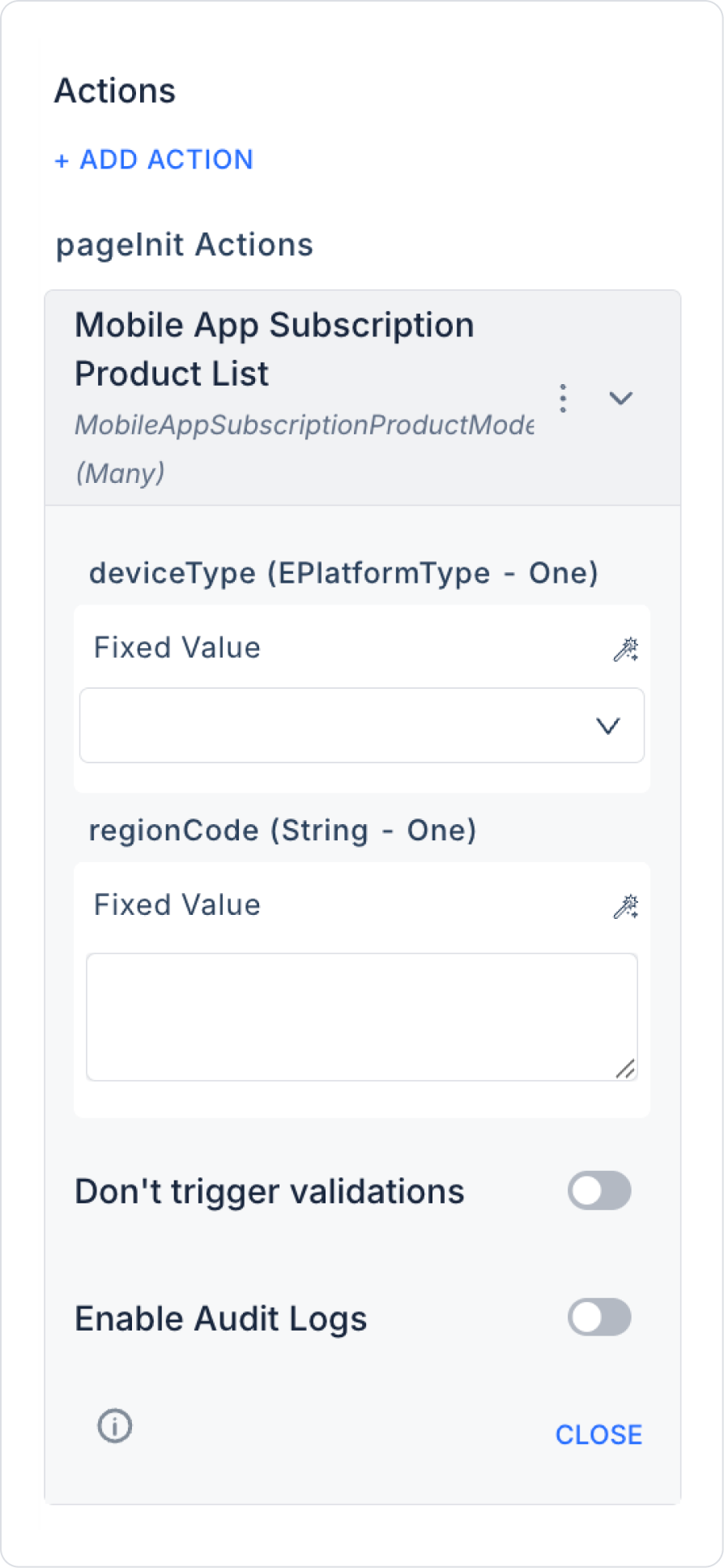
Kuika's Mobile App Subscription Product List action is used to retrieve the list of mobile subscription products based on the selected mobile platform (iOS/Android) and region code. This action allows subscription packages (e.g., monthly/annual plans) to be dynamically listed in your application and used as a data source on purchase screens.
Mobile App Subscription Product List is particularly preferred in scenarios such as subscription purchase screens, pricing/package selection, and product listing by country in mobile applications.
Technical Specifications
List Subscription Products (Device Panel): Returns mobile subscription products in a list format according to the specified platform and region.
Multiple Results (Many): The action returns multiple subscription products in a list (Many) format and can be connected to table/list components.
Platform & Region-Based Operation: The same product set may differ depending on the platform (iOS/Android) and region (regionCode).
Mobile App Subscription Product List Action Application Steps
1. Defining the Action in UI Design
Open your project on the Kuika platform.
Go to the UI Design module and select the relevant screen.
Select an element on the page where you want to display the subscription packages (e.g., page opening, “List Packages” button, or a list component).
Select the relevant element and add the Device → Mobile App Subscription Product List action from the + ADD ACTION menu, depending on the trigger event to be used.
2. Configuring Action Parameters
deviceType (EPlatformType – required): Specifies for which mobile platform the subscription product list will be retrieved. Select Web, iOS, or Android from the drop-down list.
regionCode (String – required): Specifies the country/region for which subscription products will be listed. This field is used to manage regional differences in store pricing. It can typically be connected from the following sources using the Symbol Picker:
Screen Input (country/region selected by the user)
Current (user profile/settings information)
Action Result
Fixed Value
Example: Region codes such as “TR”, ‘US’, “DE”.
3. Optional Settings
Enable Audit Logs: When enabled, the subscription product list query process is added to the audit log records. This allows you to track for which platform and region, and when the product list was called.
Usage Scenario: Subscription Purchase Screen
When a user opens the “Upgrade to Premium” screen in a mobile app, the Mobile App Subscription Product List action is triggered upon page load.
Products returned as a result of the action:
Monthly plan
Annual plan
Promotional package
are displayed on the screen as a list with options. The user can select a plan and proceed to the purchase step.
Technical Risks
Incorrect Platform Selection: If the deviceType value is selected incorrectly, the product list may not appear as expected.
Invalid Region Code: A valid country/region code must be provided in the regionCode field.
Audit Tracking: If package and pricing information is critical, it is recommended to enable the Enable Audit Logs option.