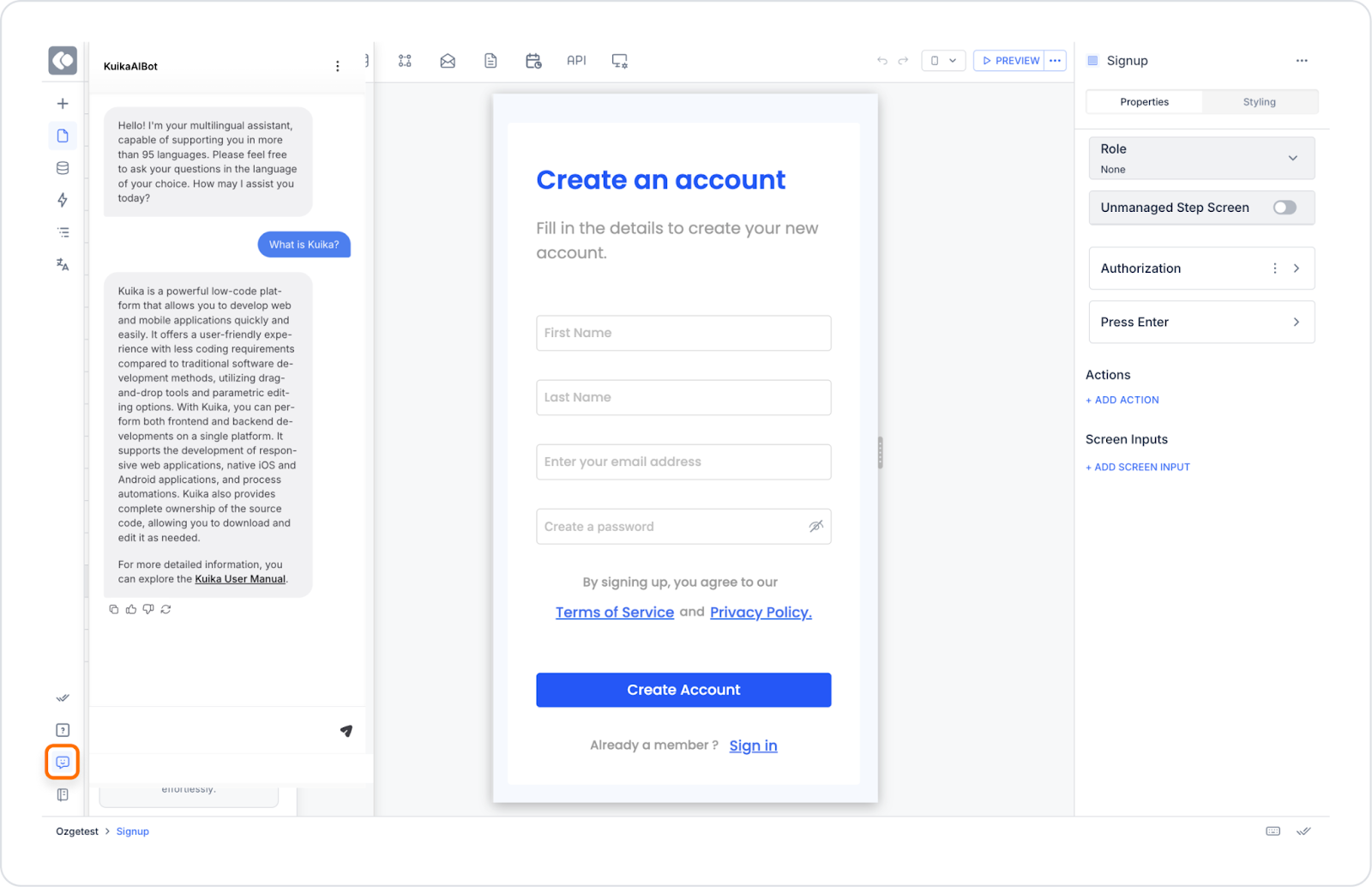
Kuika introduces the AI-powered Kuika Coach to streamline your app development process. This tool is designed to answer questions you encounter during development, provide guidance and make the process more efficient.
Advantages of Kuika Coach
Fast and Smart Responses: AI-powered Coach responds instantly to the problems you face.
Multilingual Support: You can write your questions in different languages.
Solution Suggestions and Resource Referrals: It directs you to the resources suitable for your needs and offers solutions.
How to Use a Kuika Coach?
Access to Coach:
Login to Kuika platform.
Go to the UI Design module.
Click on the chat icon on the left side.
Asking Questions:
In the chat area that opens, type your questions about the application development process.
As soon as you submit your question, Kuika Coach will get back to you with appropriate answers.
What You Can Do with Kuika Coach
Find Answers to Your Technical Questions: Ask your technical questions about software development.
Learn Best Practices: Get recommendations for more efficient development.
Explore Platform Features: Learn about the tools and features Kuika offers.
Kuika Coach will be your biggest assistant in your application development process by improving your user experience. Start exploring without wasting time!