Payment Method Settings allow you to specify and configure the payment methods to be used in your app. By configuring these settings through the Kuika Config Manager module, you can quickly and securely integrate various payment service providers such as Stripe, Iyzico, and Param.
In this guide, you’ll learn step-by-step how to configure payment methods, fill out the required fields for each payment system, and test the transactions.
How to Set Up Payment Methods?
1. Open or Create a Configuration
Log in to the Kuika platform.
Open the project you’ll be working on from the Apps screen.
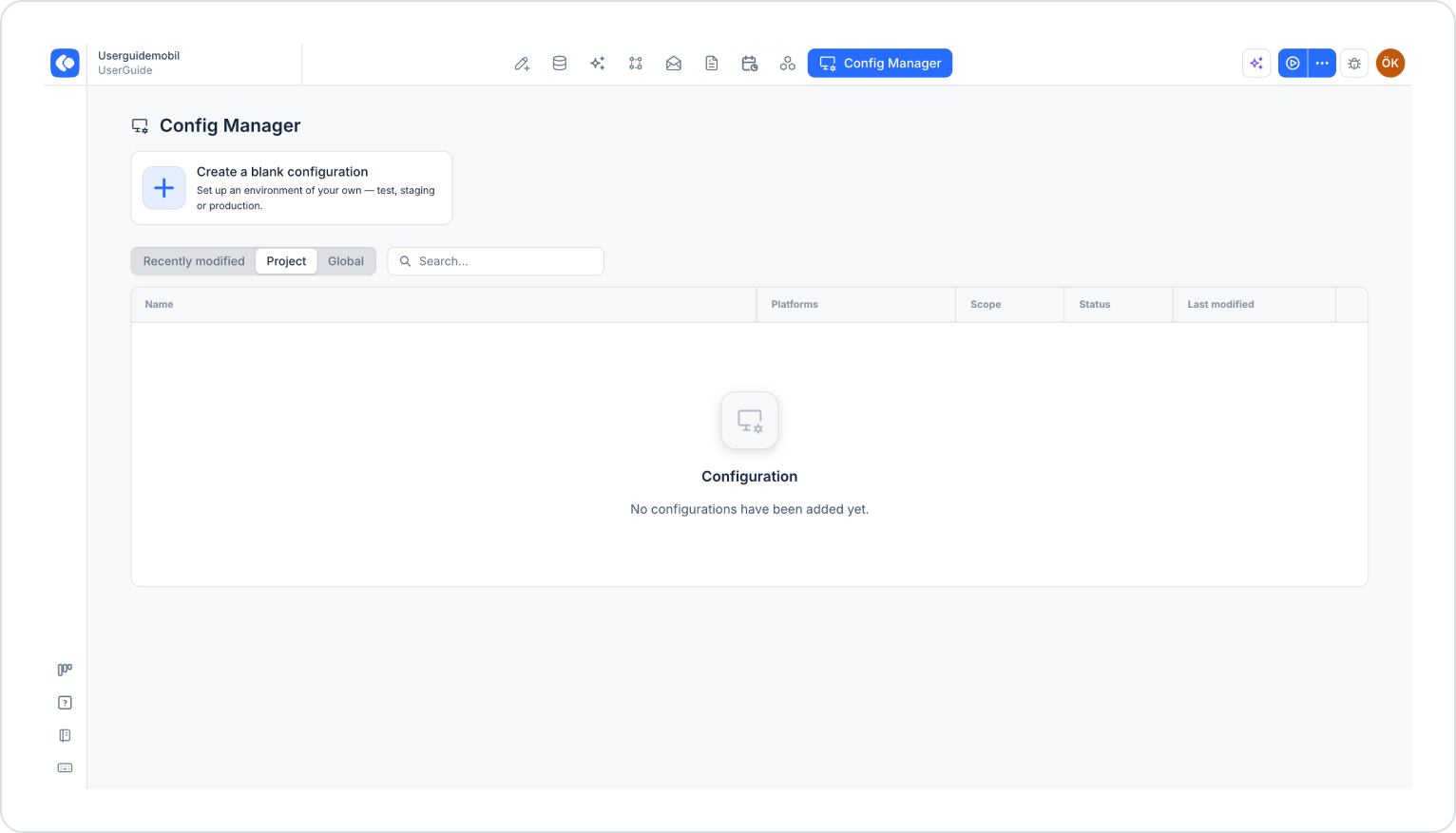
Click the Config Manager module in the top menu.
To create a new configuration, click the Create a blank configuration card, give the configuration a name, and complete the creation process. If you want to use an existing configuration, click its name in the list.
2. Go to the Payment Method Settings
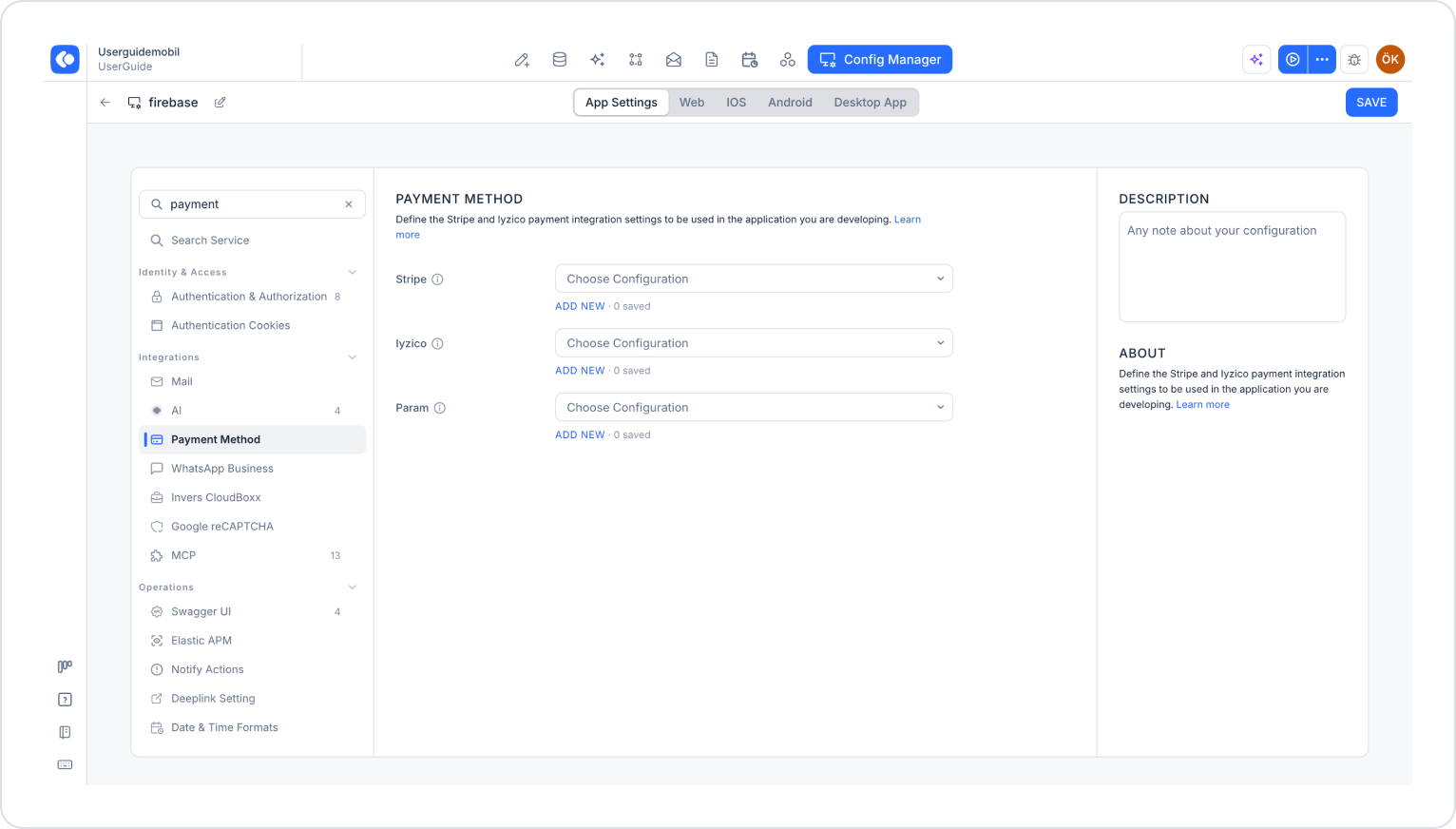
Make sure the App Settings tab is selected at the top of the configuration screen.
In the left menu, click the Payment Method option under the INTEGRATIONS heading. You can also quickly access this setting by typing “payment” into the Search settings field at the top of the menu.
The screen displays separate sections for Stripe, Iyzico, and Param. Click the Add New link under the payment method you want to configure.
3. Fill in the Payment Method Details
Stripe Settings
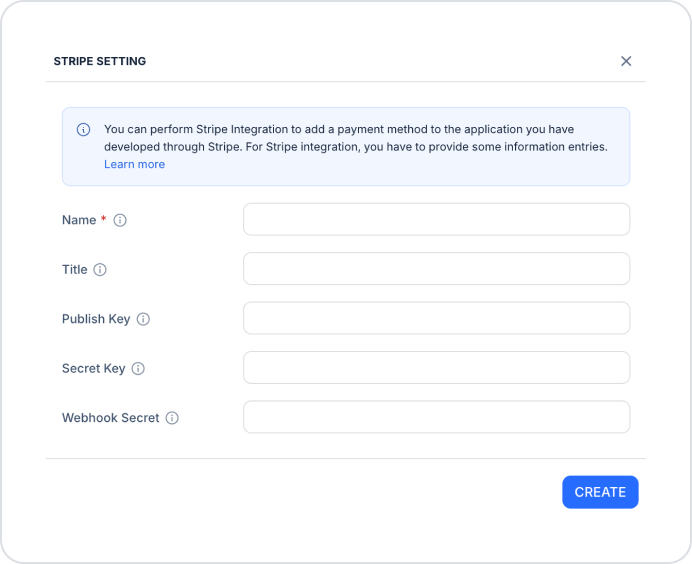
Stripe is a popular online payment system used globally. In the Stripe Settings window that opens, fill in the following fields:
Name (required): A descriptive name for the configuration.
Title: The title for the configuration.
Publish Key: The Publishable Key obtained from the Stripe dashboard.
Secret Key: The secret key specific to your Stripe account.
Webhook Secret: The signing key used to verify Stripe webhook notifications.
Iyzico Settings
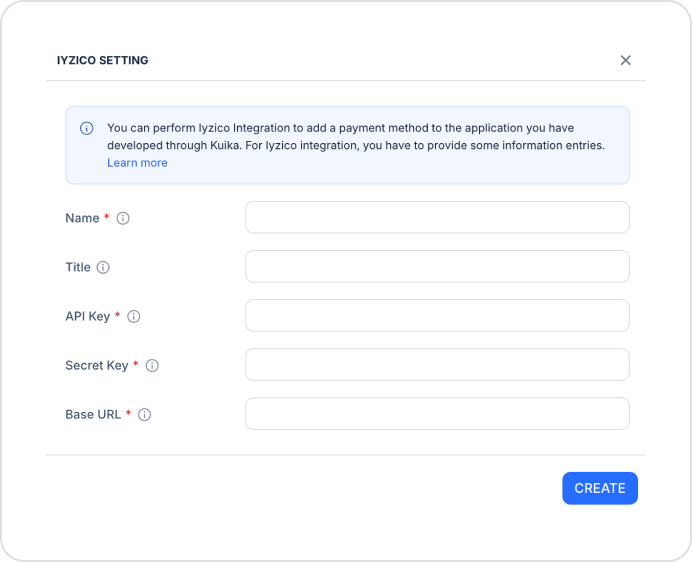
Iyzico is a Turkey-based payment solution. In the Iyzico Settings window that opens, fill in the following fields:
Name (required): An identifying name for the configuration.
Title: The title for the configuration.
API Key (required): The API key obtained from the Iyzico dashboard.
Secret Key (required): The secret key specific to your Iyzico account.
Base URL (required): The Iyzico API address. Use https://sandbox-api.iyzipay.com/ for the test environment and https://api.iyzipay.com/ for the production environment.
Param Settings
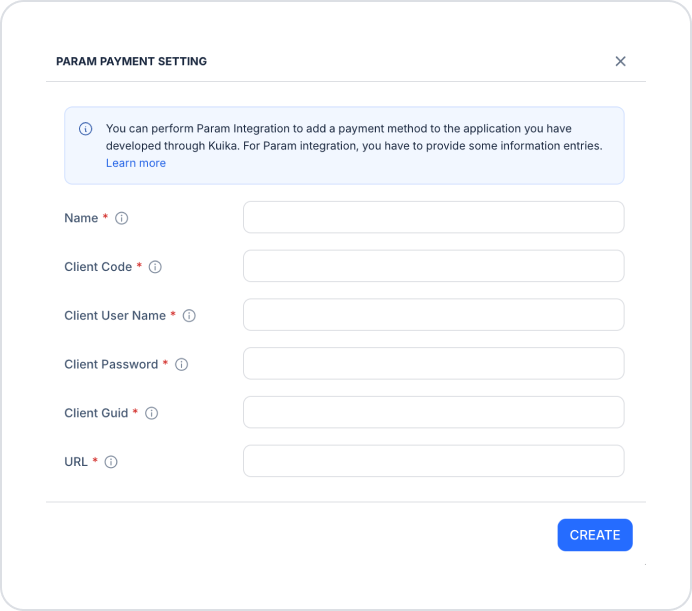
Param is a payment system integrated with banks in Turkey. In the Param Payment Settings window that opens, fill in the following fields (all fields are required):
Name: A descriptive name for the configuration.
Client Code: Your client code provided by Param.
Client User Name: Your username as defined in the Param system.
Client Password: Your Param password.
Client Guid: The unique client ID provided by Param.
URL: The Param API access URL (e.g., https://test-api.param.com.tr/).
After entering the information, click the Create button in each window to create the configuration.
4. Save and Test the Settings
Saving Settings
For each payment method you want to use, select the configuration you created from the corresponding Choose Configuration dropdown menu.
Make sure you’ve filled out all required fields completely and accurately.
Click the Save button in the top-right corner to save your changes. (In an existing configuration, this button appears as Update.)
Testing
To ensure the integration works smoothly, perform a payment transaction in the test environment.
You can use test cards for Stripe.
Test using the test environment credentials for Iyzico and Param.
Once you’ve completed these steps, you’ll have set up a secure and functional payment infrastructure in your app.
Important Tips
Carefully store the required API keys and security credentials for each payment method.
Test payment flows in the test environment using different scenarios.
Before moving to the production environment, verify that the Base URL and URL fields have been updated with the production environment addresses and that all settings are correct.
By properly configuring the Payment Method settings, you can offer your users a variety of secure payment options.