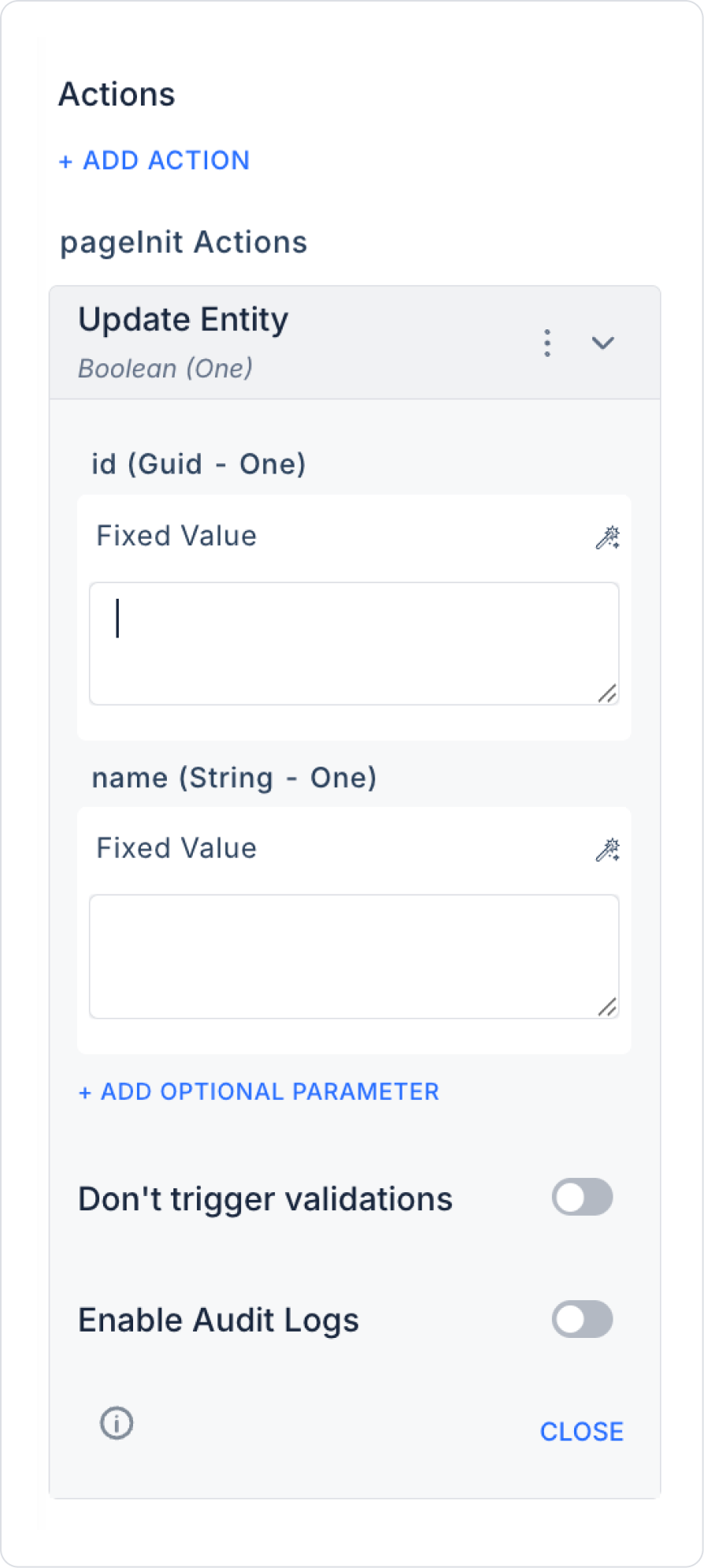
Update Entity Action Application Steps

1. Create an Edit Form

  • A form is displayed to the user where they can update the entity information:
    • Entity Name (Text Input) → Name
    • Description (Text Area) → Description (optional)
    • Category Selection (Select Box) → CategoryId (optional)

2. Action Definition

  • The following action is added to the ‘Save’ button:
    • + ADD ACTION > OnClick > EAV > Entity > Update Entity
  • Parameters are matched with the Symbol Picker:
  • Id: Form Component or Selected Row
  • Name: Text Input
  • Description: Optional field
  • CategoryId: Optional field (Select Box)
  • Enable Audit Log: Ensures that actions performed during execution are added to the audit log records. This allows you to track when changes were made to the system, by which user, and within the scope of which action.

3. Post-Action Usage

  • When the update is complete:
    • A message is displayed to the user
    • The list or detail screen is refreshed
    • The user can be redirected to another page (Navigate)