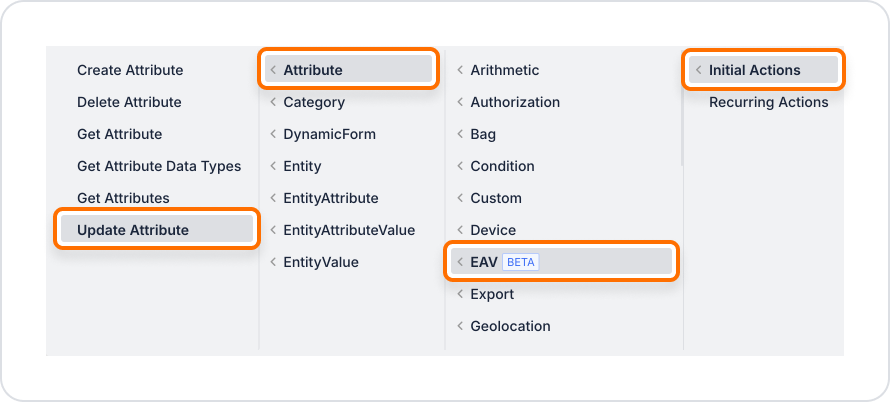
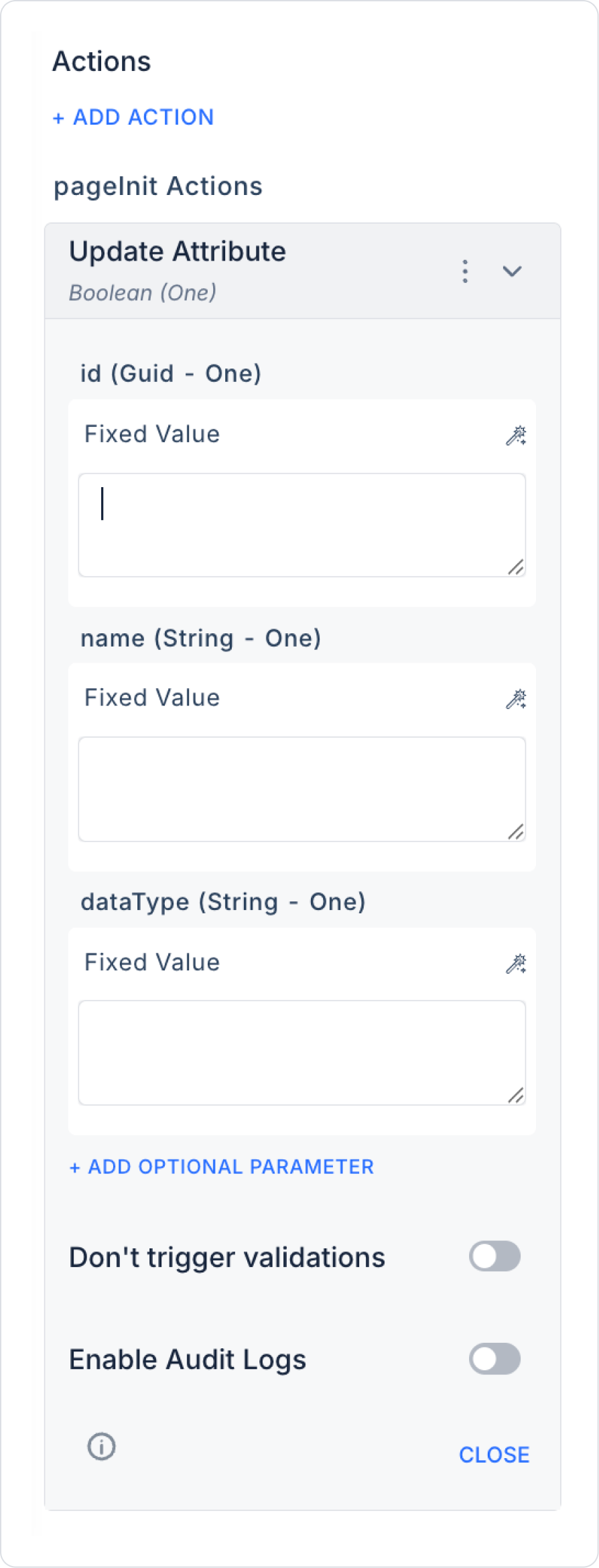
Parameters are taken from the Dynamic Form element:
Id → Symbol Picker > Action Result > Get Attribute > Id
Name → Symbol Picker > Form Component > Text Input
DataType → Symbol Picker > Form Component > SelectBox
Description → Text information explaining the purpose of the attribute. It is used to explain the meaning and usage of the attribute to the user or developer.
IsRequired → Indicates whether the attribute is required. When enabled (true), a value must be entered for this attribute. When disabled (false), the attribute is optional.
DefaultValue → Defines the default value for the attribute. If the user does not enter a value, the system automatically uses this value. A value appropriate for the attribute's data type (String, Integer, Boolean, etc.) must be entered.
CategoryId → The category ID to which the attribute belongs. It is used to group, classify, and facilitate the management of attributes. It can be assigned as a fixed value or determined by user selection.
Enable Audit Log: Ensures that updates made to the attribute are added to the audit log records. This allows you to track who made the changes, when, and in which fields.
4. Processing the Update Result
After a successful operation, a modal notification can be displayed to the user.
The Dynamic Form can be automatically cleared or the list can be updated.