Log in to the Kuika platform and open your project.
Go to the UI Design module.
Select the element you want to send the notification to.
Click on the + ADD ACTION menu in the Properties panel.
+ ADD ACTION menu, add the Notification > Send Push Notification action according to the trigger event you want (Initial Actions, OnClick, OnBlur, etc.).
Action Parameters
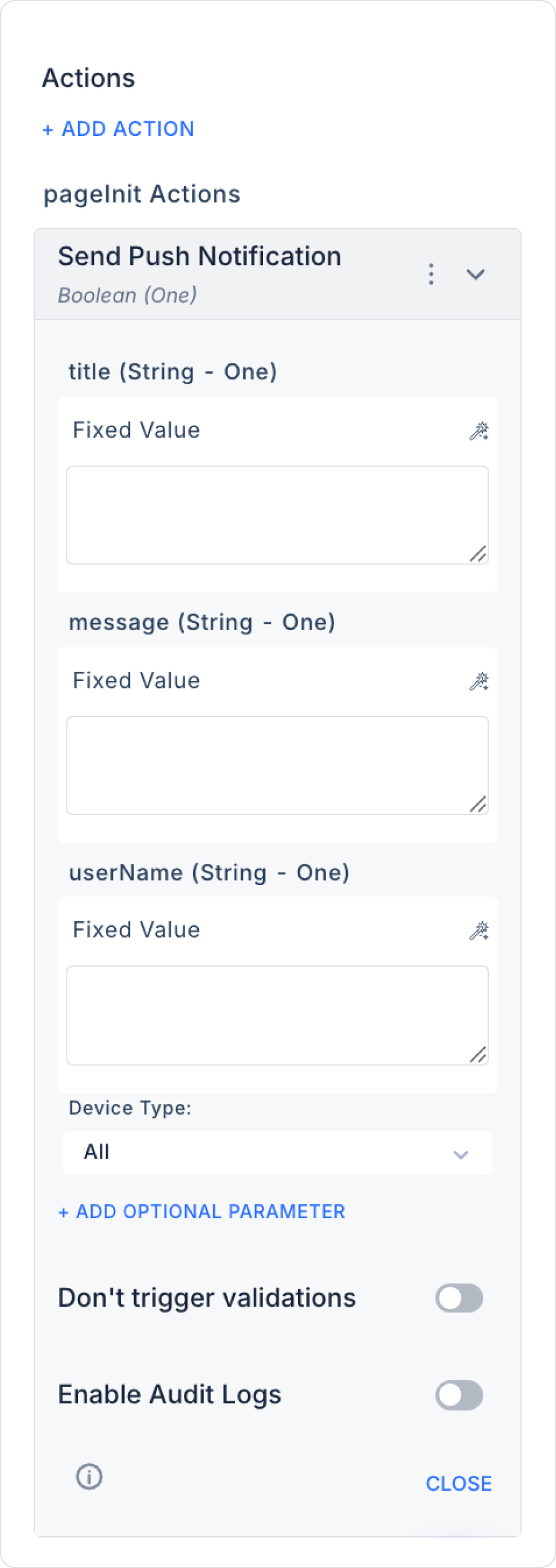
Title (String): Notification title. Attracts the user's attention. Example: ‘Your order is ready!’
Message (String): Notification content. Message to be sent to the user. Example: ‘Your order has been successfully completed and shipped.’
User Name (String): The user name to whom the notification will be sent.
Fill in to send to a specific user.
Leave blank to send to all users. Example: ‘john.doe@kuika.com’
Device Type
Type: Enum (All / Android / iOS / Web)
Required: Yes
Description: Determines which platform or device type the notification will be sent to. The default value is All; with this option, the notification is sent to all platform types.
Options:
All: The notification is sent to all platforms, including Android, iOS, and Web.
Android: The notification is sent only to Android devices.
iOS: The notification is sent only to iOS devices.
Web: The notification is sent only to users using a web browser.
Optional Parameters
Navigate On Notification Click (String): The screen the user will be redirected to when they click the notification. Example: “/siparisDetay” or “OrderDetailScreen”
App: Specifies which app the notification targets. This is used, particularly in scenarios where multiple mobile/web apps use the same notification infrastructure, to ensure the deep link opens in the correct app.
Device Type: Determines the platform or device type to which the notification will be sent (All / Android / iOS / Web). The navigation behavior in the payload (internal route or external URL) works consistently across all platforms selected in this parameter.
Navigate URL on Notifications: Ensures that when the user taps the notification, they are redirected to a web address outside the app (external URL). When this field is filled in, the relevant address opens in the device’s default browser after the tap. Example: “https://www.kuika.com/destek”
All parameters can be connected via the Symbol Picker from the following sources: Action Result, Method Input, Current, Screen Input, Fixed, or Component.
Advanced Settings
There are two additional toggle options below the parameter configuration:
Don't Trigger Validations
Tip: Toggle (On/Off)
Default: Off
Description: When this option is enabled, validation rules on the page are not triggered while the Send Push Notification action is running. It can be used in scenarios where the notification needs to run independently of the validation process.
Enable Audit Logs
Type: Toggle (On/Off)
Default: Off
Description: When this option is enabled, an audit log is created for each execution of the “Send Push Notification” action. These logs can be used to track when, by whom, and under what conditions notifications were triggered.