Open the project you want to work on from the Apps screen.
While in the UI Design module, open the Properties panel on the right side.
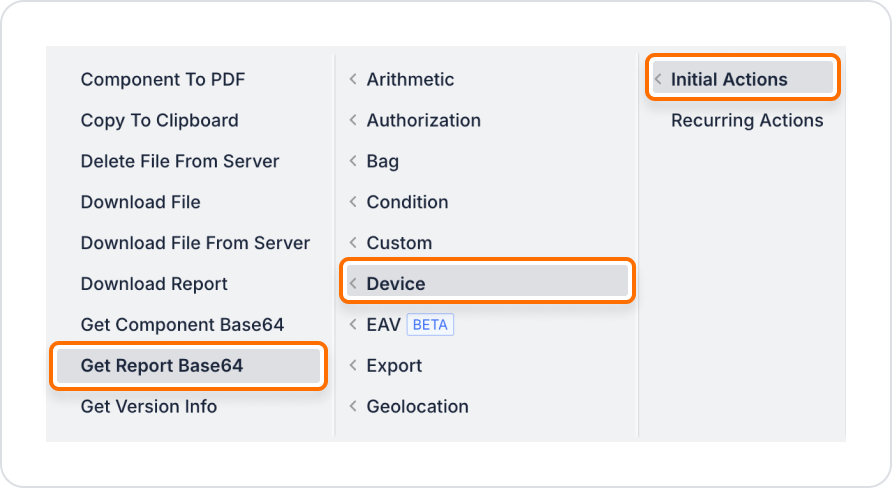
+ ADD ACTION menu, add the Device > Get Report BaSe64 action according to the trigger event you want (Initial Actions, OnClick, OnBlur, etc.).
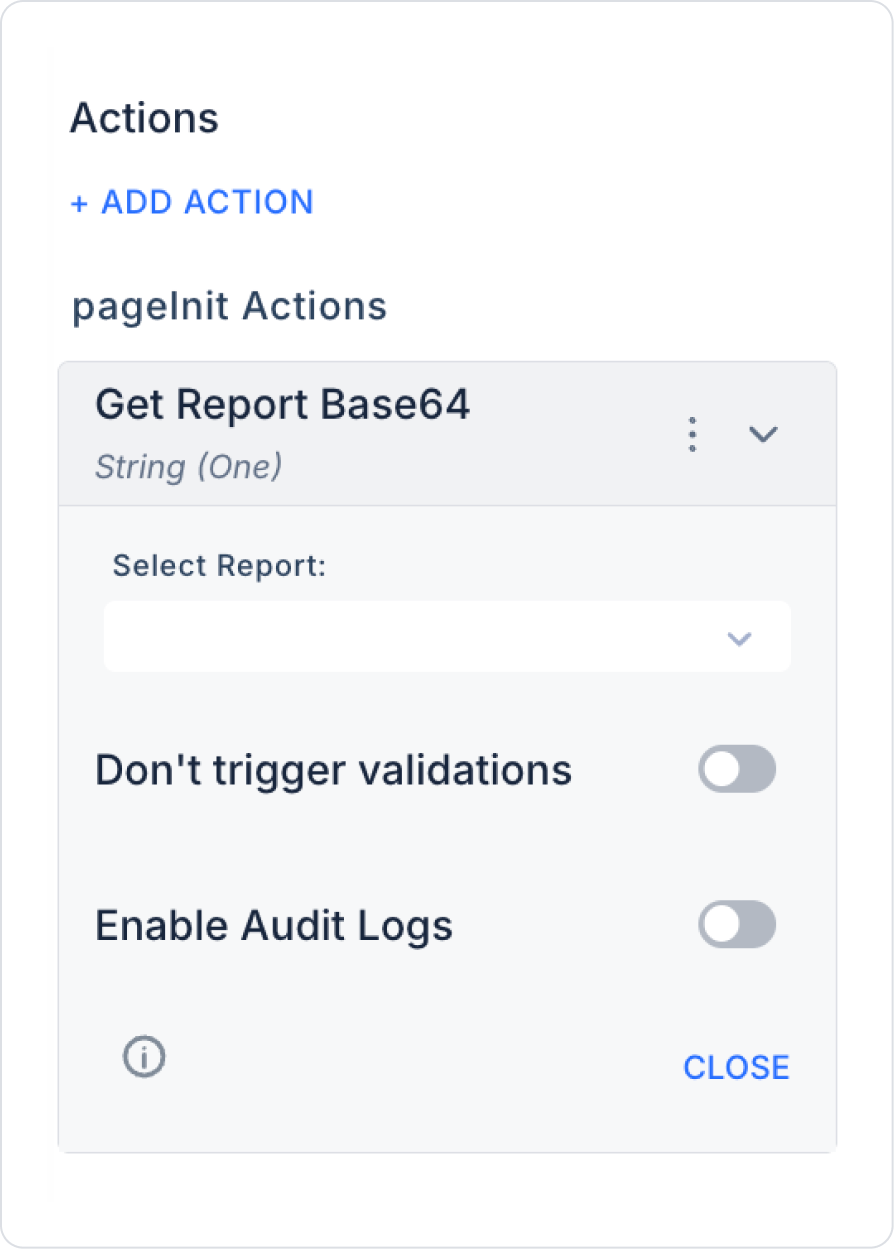
Configure the following field in the menu that opens:
Select Report: Select the report you want to convert to Base64 format.
Enable Audit Logs: When enabled, the process of querying subscription information in the mobile application is added to the audit log records. This allows you to track which user queried the subscription information, for which platform, when, and through which action.