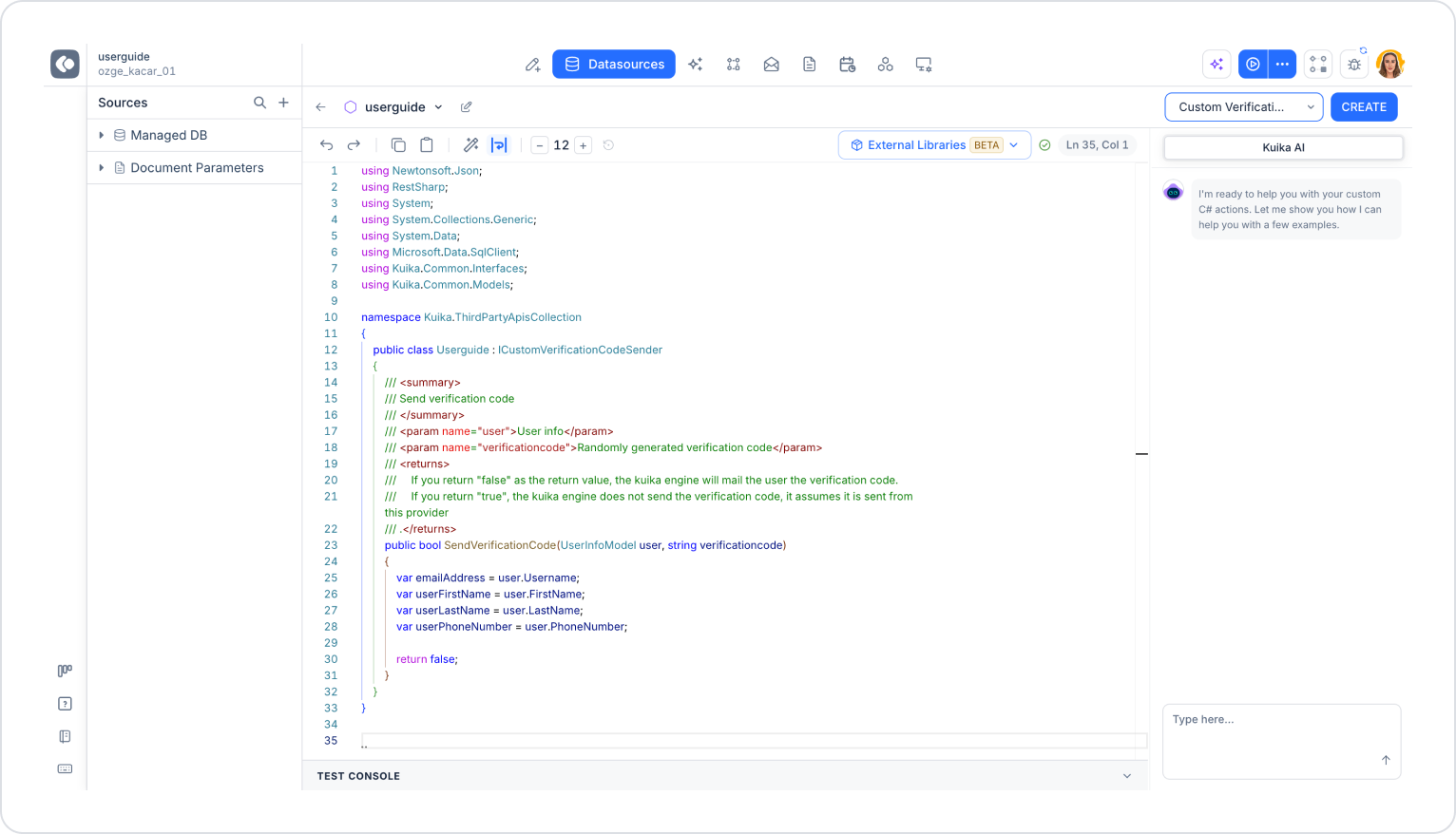
The Custom Verification Code Sender Provider allows you to send verification codes generated by Kuika to users via a channel of your choice (SMS, email, push notification, etc.).
Select C# Functions and enter a name.
From the Template field, select the Custom Verification Code Sender Provider template.
Click the CREATE button.
The class in the template implements the ICustomVerificationCodeSender interface and contains the SendVerificationCode method.
SendVerificationCode Method: Takes two parameters:
user (UserInfoModel): User information. You can access the following fields through this object:
user.Username: The user’s email address
user.FirstName: The user’s first name
user.LastName: The user’s last name
user.PhoneNumber: The user’s phone number
verificationcode (string): A verification code randomly generated by Kuika
The method’s return value determines who will send the code:
return false: Kuika sends the verification code to the user via email itself.
return true: Kuika does not send the code; it assumes the code was sent by this provider.
For example, if you want to send the verification code via SMS, call your SMS service within the method using the `user.PhoneNumber` and `verificationcode` values, and return true when the sending is successful.