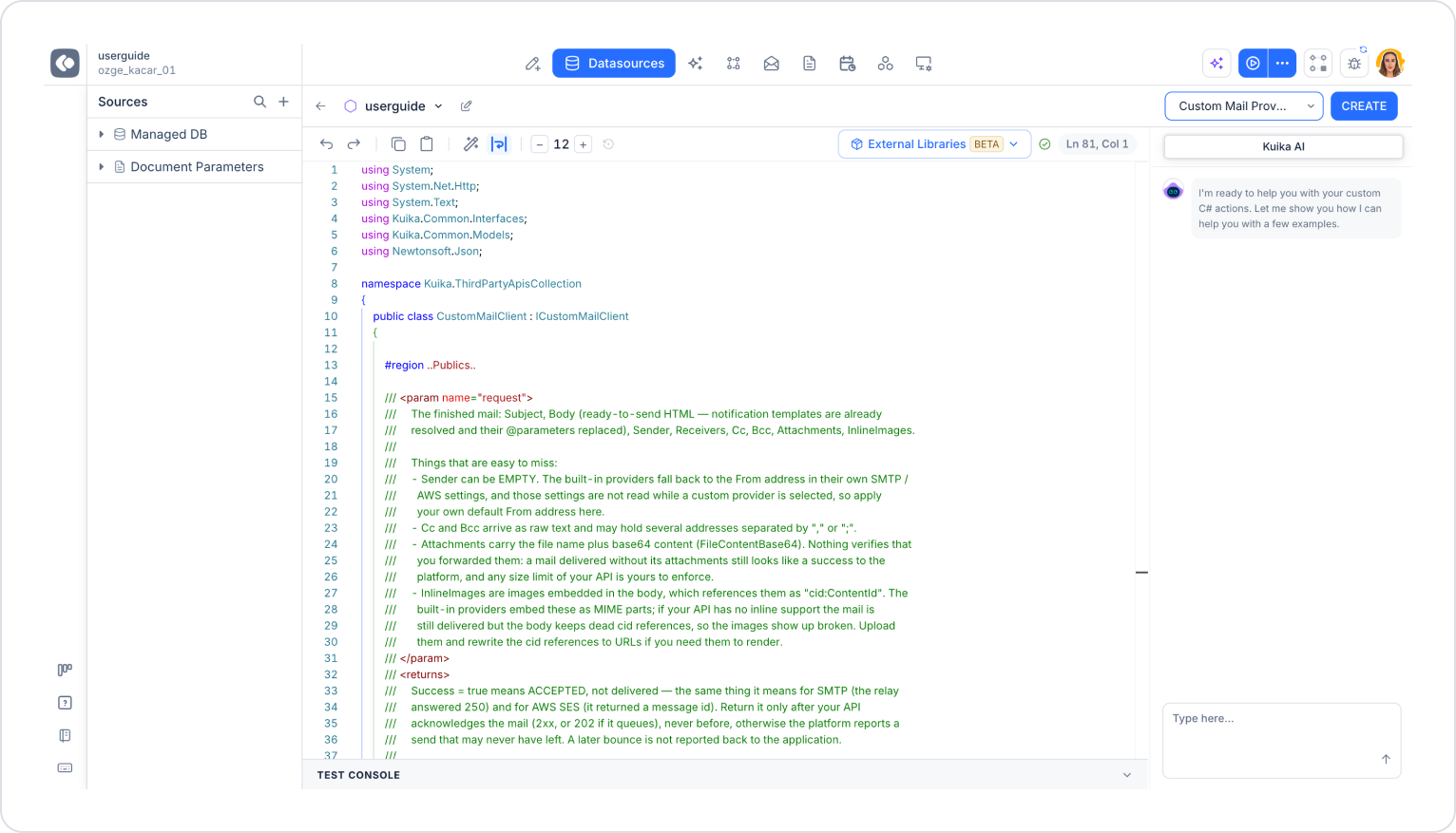
The Custom Mail Provider allows you to handle your application’s email sending process through an infrastructure or third-party service of your choice. With this setup, you can use your own SMTP server, an email sending API (such as SendGrid, Mailgun, or Amazon SES), or an on-premises email infrastructure instead of Kuika’s default email sending mechanism.
It can be used in the following scenarios:
When the application needs to use the organization’s own SMTP server instead of Kuika’s default email provider,
When email delivery needs to be handled through a third-party service,
When the delivery logic (e.g., logging, additional verification) needs to be customized,
When different email providers need to be used for different environments or tenants.
Creation steps:
Select C# Functions and enter a name.
From the Template field, select the Custom Mail Provider template.
Click the CREATE button.
Custom Mail Provider Class
The CustomMailClient class in the template implements the ICustomMailClient interface and handles email sending requests triggered from within the application.
request parameter: Contains the email ready for sending:
Subject: The email’s subject
Body: HTML content ready for sending. Notification templates are parsed and @parameters are substituted.
Sender: The sender’s address
Receivers, Cc, Bcc: Recipient addresses
Attachments: Attachments
InlineImages: Images embedded in the body
Important notes:
The Sender may be empty. Kuika’s built-in providers use the From address from their own SMTP/AWS settings in this case; however, these settings are not read when a custom provider is selected. Therefore, define your own default sender address in the code.
Cc and Bcc are returned as plain text and may contain multiple addresses separated by “,” or “;”.
Attachments are returned as the file name and base64 content (FileContentBase64). Whether attachments are delivered or not is not checked; an email delivered without attachments is also considered successful. You must also check your API’s size limits yourself.
InlineImages are images referenced in the body in the format “cid:ContentId.” If your API does not support inline images, you must upload the images and replace the cid references with URLs; otherwise, the images will appear broken.
Return value: Success = true indicates that the email was accepted, not that it was delivered. Return this value only after your API has approved the email (2xx or 202 if queued). Otherwise, the platform will report an email as successful even though it may never have been sent. Subsequent bounces are not reported to the application.
Sensitive information such as the email provider’s API key, username, and password must be securely stored within the code and must not be logged.