Create API Builder
- Log in to the Kuika platform and open your project from the Apps screen.
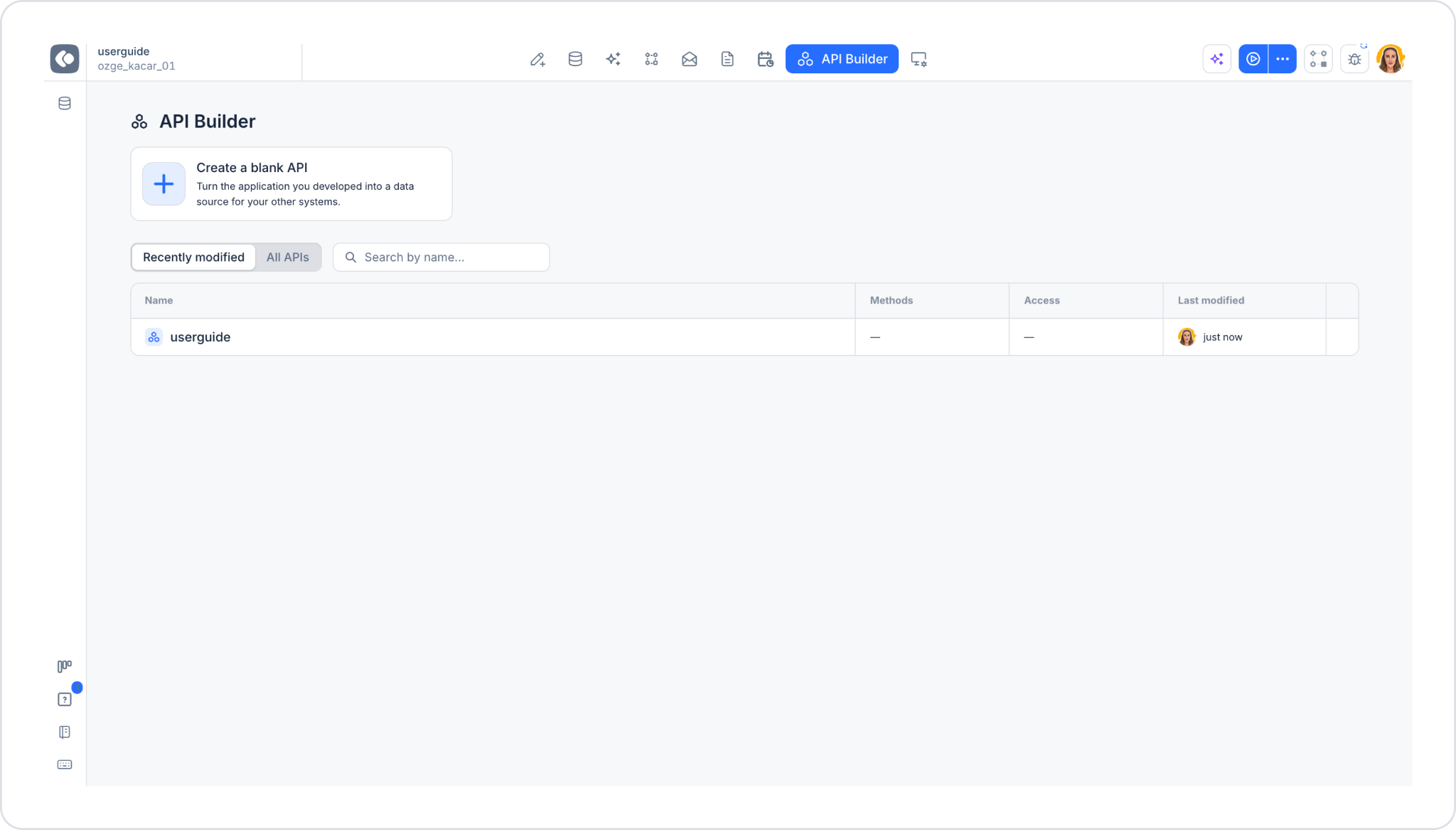
- Open the API Builder module from the top menu.
- On the screen that opens, click the Create a blank API card.
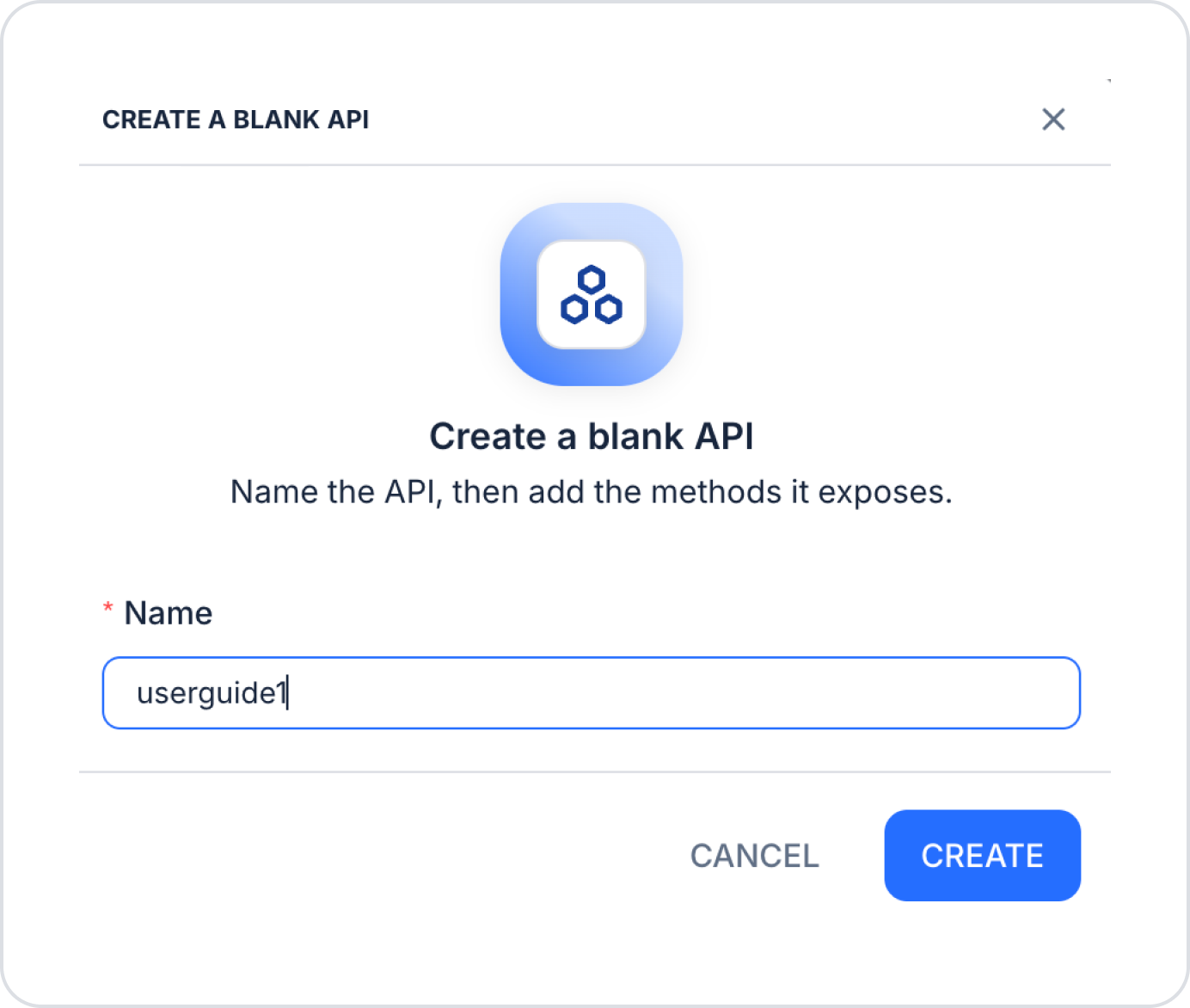
- In the window that opens, enter a name for your API in the Name field and click the CREATE button. You can cancel the process by clicking CANCEL.