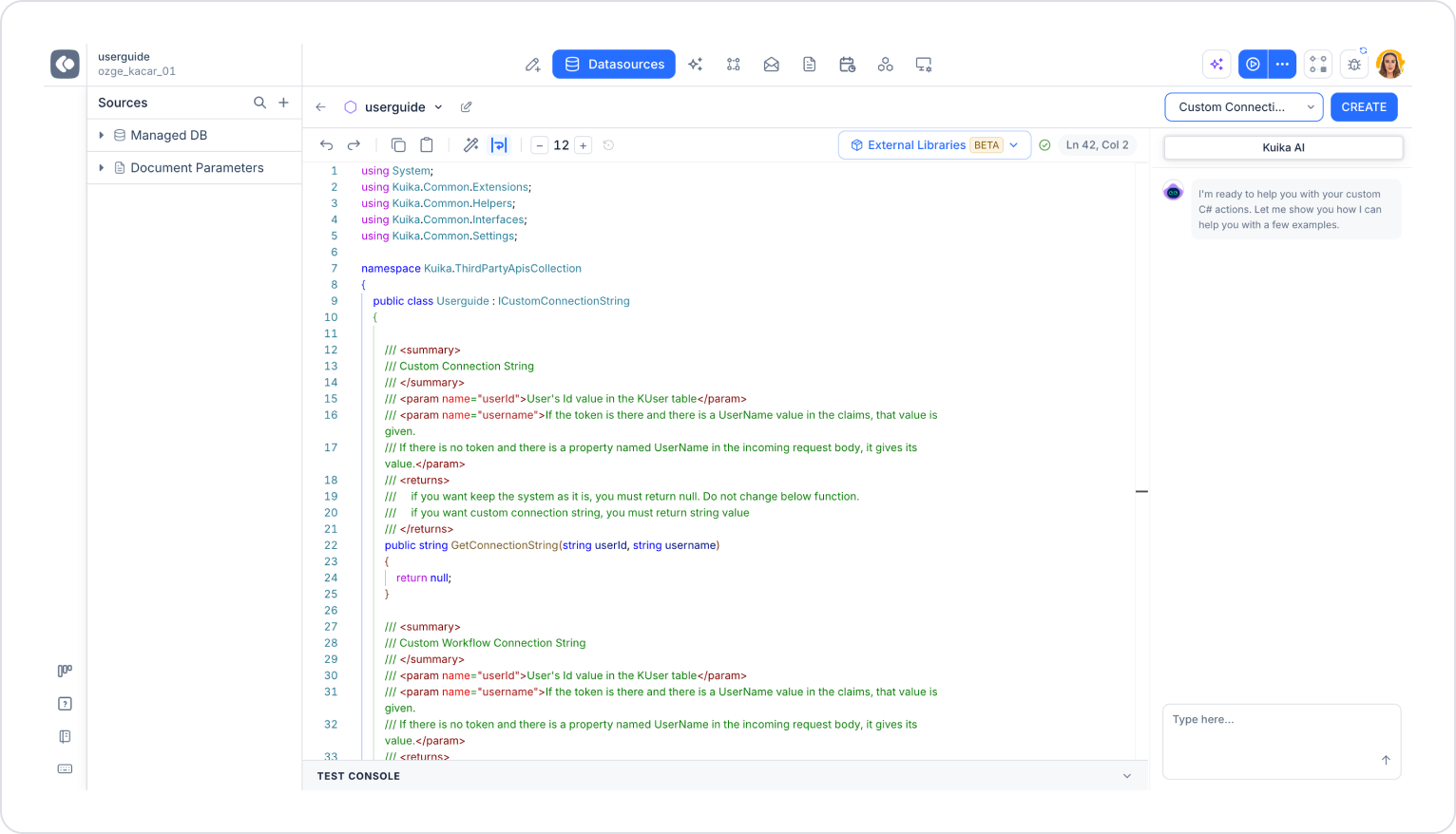
The Custom Connection String Provider is used to define custom connection strings that allow your application to connect to different environments or systems. With this structure, you can configure your application to be environment-independent (development, staging, production) or dynamically route it to different databases.
Select C# Functions and enter a name.
From the Template field, select the Custom Connection String Provider template.
Click the CREATE button.
The class in the template implements the ICustomConnectionString interface and contains two methods:
GetConnectionString: Returns the connection string that the application will use.
Custom Workflow Connection String: Returns the connection string to be used in workflow operations.
Both methods accept the following parameters:
userId: The user’s Id value in the KUser table
username: If a token is present in the request and the token’s claims contain a UserName value, this value is used; if no token is present but a field named UserName exists in the request body, the value of that field is used
The Custom Connection String Provider is used to connect the same application to separate databases for different customers, to separate development and production systems, and to dynamically change connections in multi-tenant systems.
Function return values:
return null: Kuika’s default connection is used.
return “connection_string”: The returned connection string (e.g., SQL Server, PostgreSQL, etc.) is used. It is possible to return connections specific to a user, application, or tenant.
Since the return value contains sensitive information, the connection string must be generated securely and should not be logged.