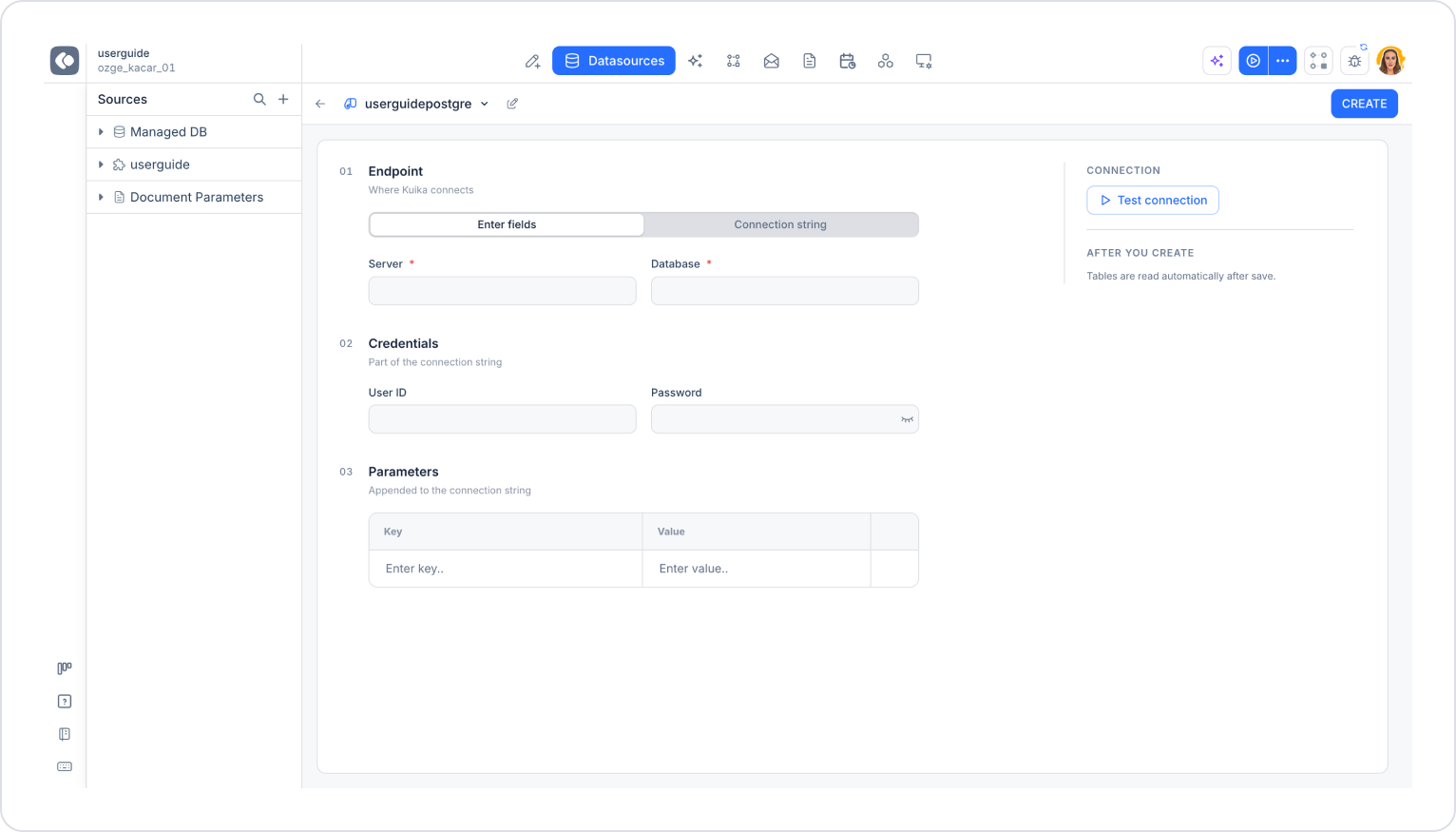
In the Endpoint section, select the Enter fields tab and fill in the following fields.
01 Endpoint
Contains the server information Kuika will connect to.
Server (required): Enter the address of the server hosting your database (domain name or IP address). Example: myServerAddress
Database (required): Enter the name of the PostgreSQL database you want to connect to. Example: myDataBase
02 Credentials
These are the credentials that are part of the connection string.
User ID: Enter the username.
Password: Enter the user’s password. You can show or hide the password using the eye icon.
03 Parameters
You can enter additional parameters to be added to the connection string in the Key and Value fields. When you fill in a row, a new blank row appears below it; you can delete an added row using the trash can icon.
Key: The name of the connection parameter.
Value: The value corresponding to the parameter.
Example parameters:
Port: 5432
SSL Mode: Require
Application Name: KuikaApp
Timeout: 30 (If a connection cannot be established within the specified time, in seconds, the operation times out.)