

When developing applications on the Kuika platform, you’ll see two important panels in the top toolbar: the Issues Panel and the WF Engine (Workflow Engine) Panel. They are visible in all modules.
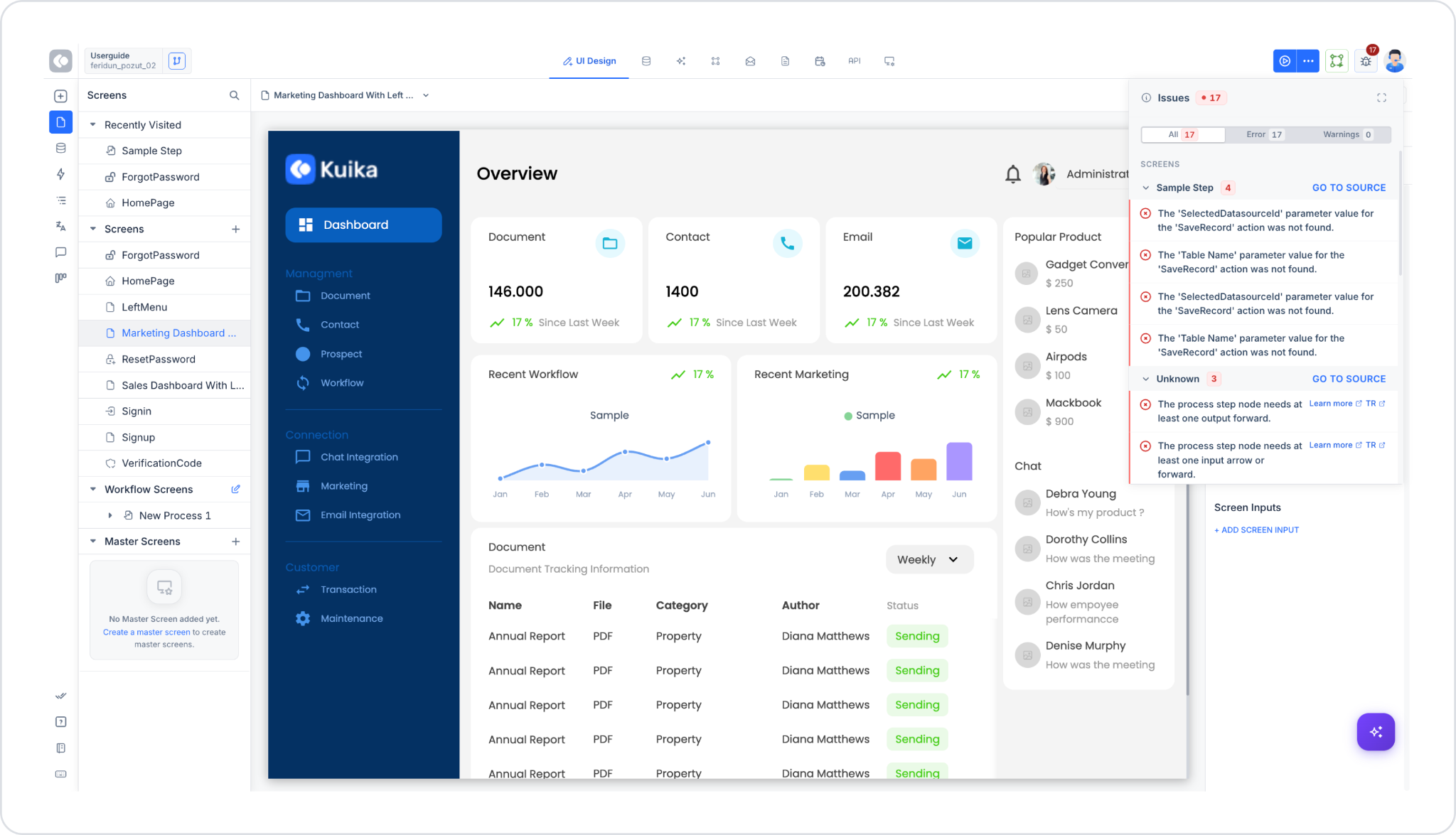
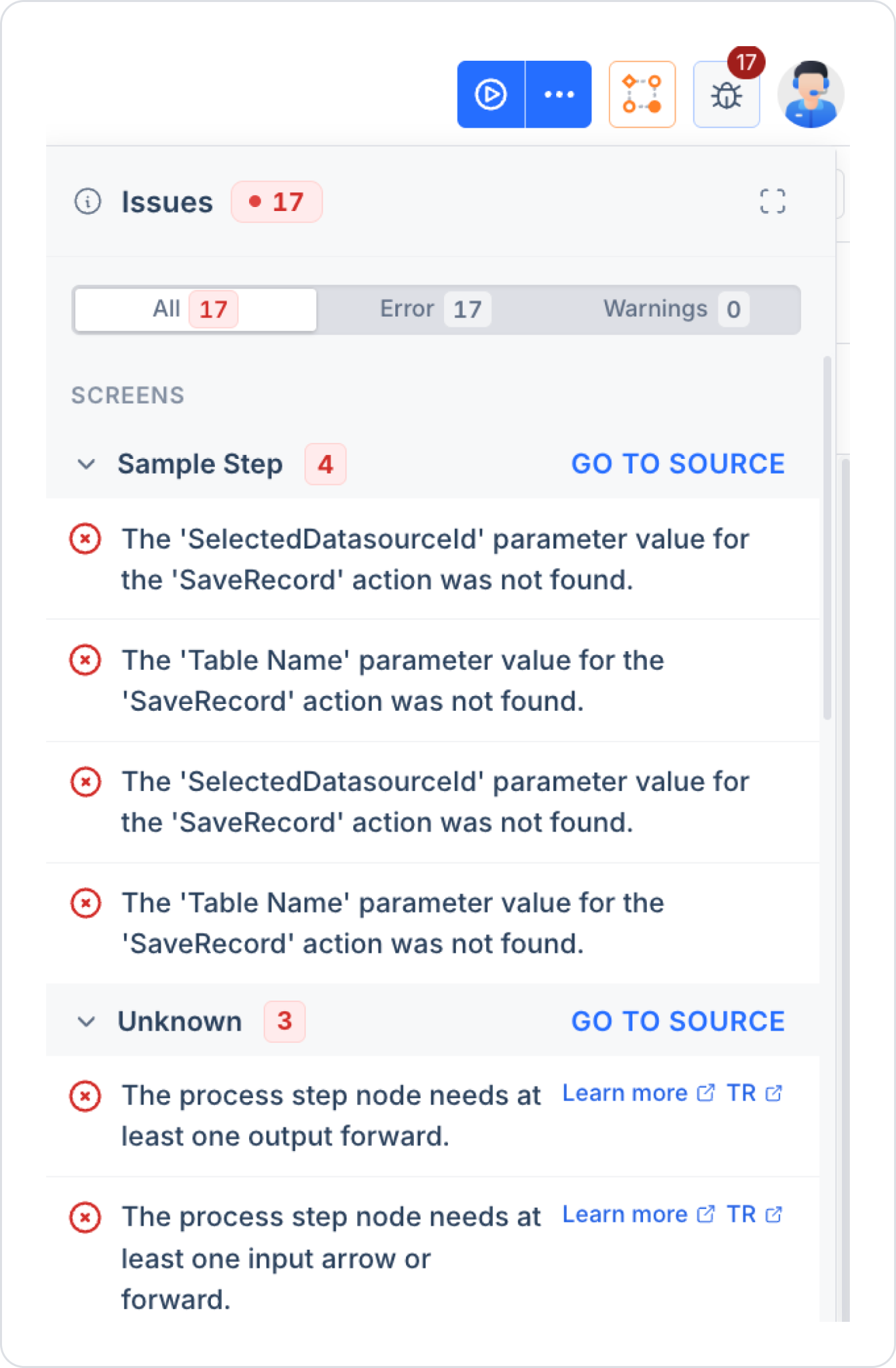
The Issues panel is a control panel that operates across the entire project, identifying and listing missing or incorrectly configured elements in your project during the application development process. It opens via the icon in the upper-right corner of the screen and instantly displays the number of detected errors with a red badge. This icon remains in the same location regardless of which module (UI Design, Process Automation, Datasources, etc.) you are in, and it lists all errors across your entire project (not just on the screen you currently have open) collectively. For example, even if you leave a process step incomplete in Process Automation and then switch to the UI Design screen, that error will continue to appear in the Issues panel.
When the panel opens, you’ll see the following information:
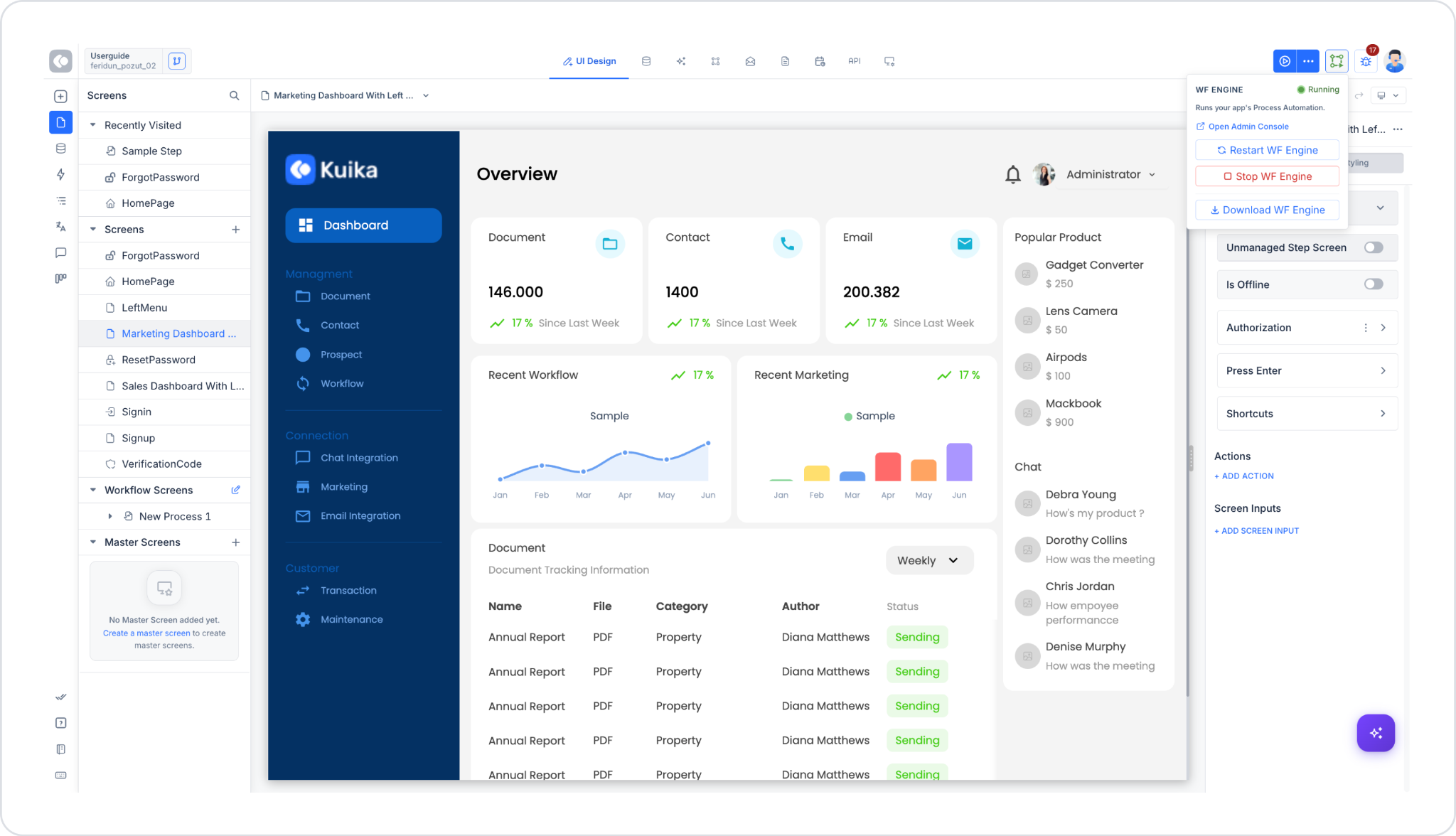
The WF Engine is the engine that runs the Process Automation (workflow) module you develop on the Kuika platform. This engine ensures that the workflows you design run in the background, tasks are assigned to the right user at the right time, and each step proceeds according to the rules.
Like the Issues panel, this panel appears as a fixed icon on the top toolbar across the entire project—meaning you can view the engine’s status (Stopped/Running) and start it even when you’re not on the Process Automation screen (for example, while working in UI Design). This is because the WF Engine is not limited to a single screen but is a background service for the entire project; it covers all processes defined in the project.
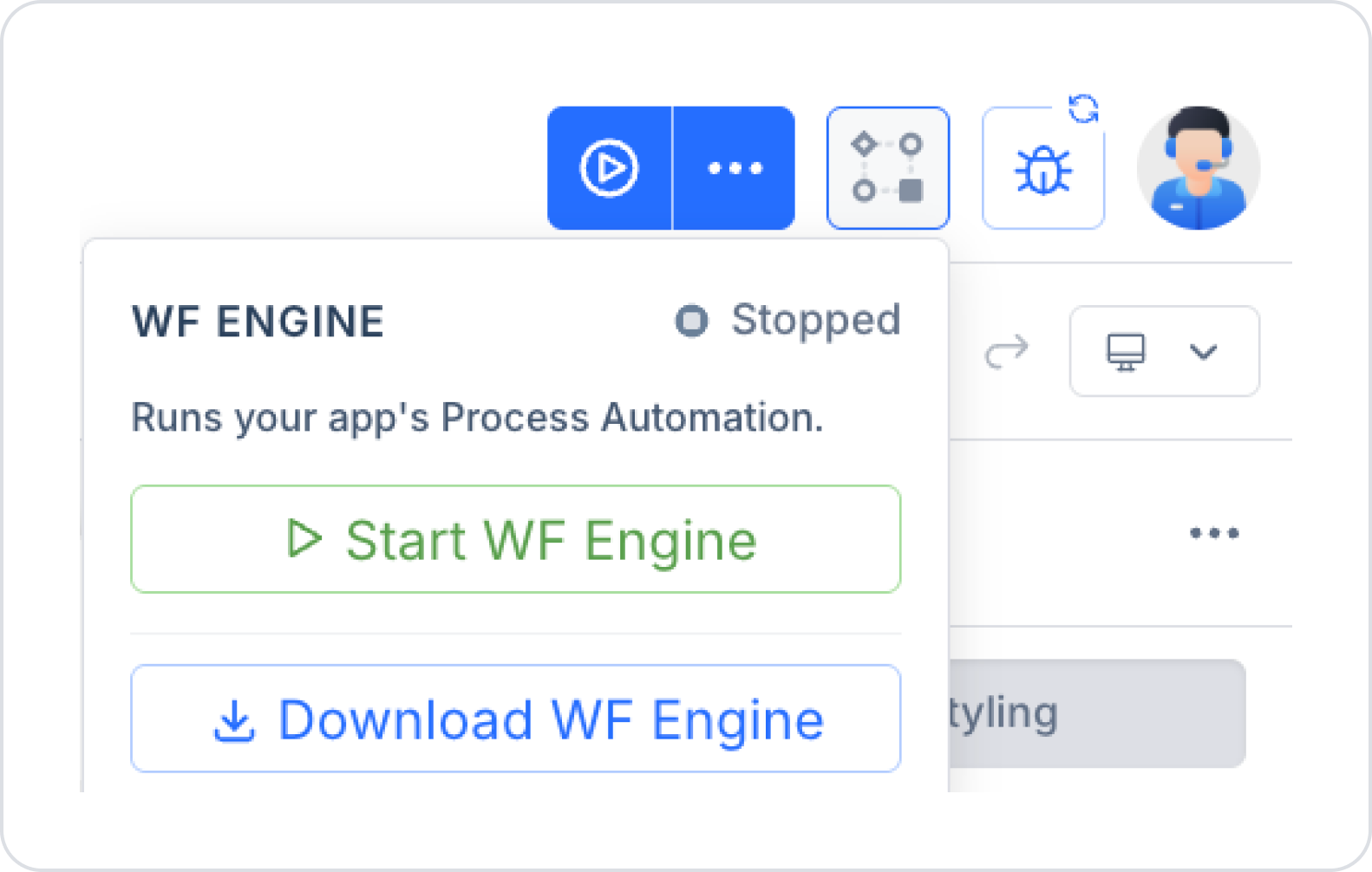
Accessible via the icon at the top of the screen—regardless of which screen in the project you’re on—the panel displays the following information:
The WF Engine is stopped by default; this is normal. When you want to test or run an application that includes process automation, you must first manually start the engine. This design is intended to prevent unnecessary resource consumption and allow the developer to decide when to run tests.
These two components are not independent of each other; in fact, they complement each other and are directly related:
Skipping this sequence and starting the WF Engine directly can lead to a situation where the engine appears to be “running” but the process is not actually functioning—which makes it difficult to identify the source of the error.


