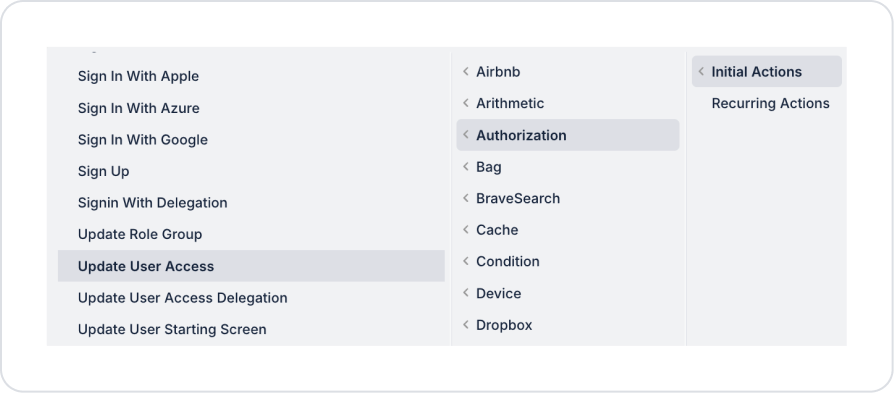
Kuika's Update User Access action is used to update a user's role and role group-based access information in the system. This action allows roles and role groups assigned to users to be redefined, enabling centralized and controlled management of the authorization structure.
Update User Access is preferred in management scenarios where user permissions need to be changed, organizational roles need to be modified, and access revisions are required.
Technical Features
Authorization Panel: Updates the role and role group assignments for the specified user.
Authorization Compatibility: Updated user access information is fully compatible with the Authorization infrastructure, and changes are immediately reflected in authorization rules.
Web & Mobile Support: The action is supported on both web and mobile applications.
Update User Access Action Application Steps
1. Defining the Action in UI Design
Open your project on the Kuika platform.
Go to the UI Design module and select the relevant screen.
Create a button or save action to update user permissions (for example, “Update User Permissions”).
Select the relevant element and add the Authorization → Update User Access action from the + ADD ACTION menu, depending on the trigger event to be used.
2. Configuring Action Parameters
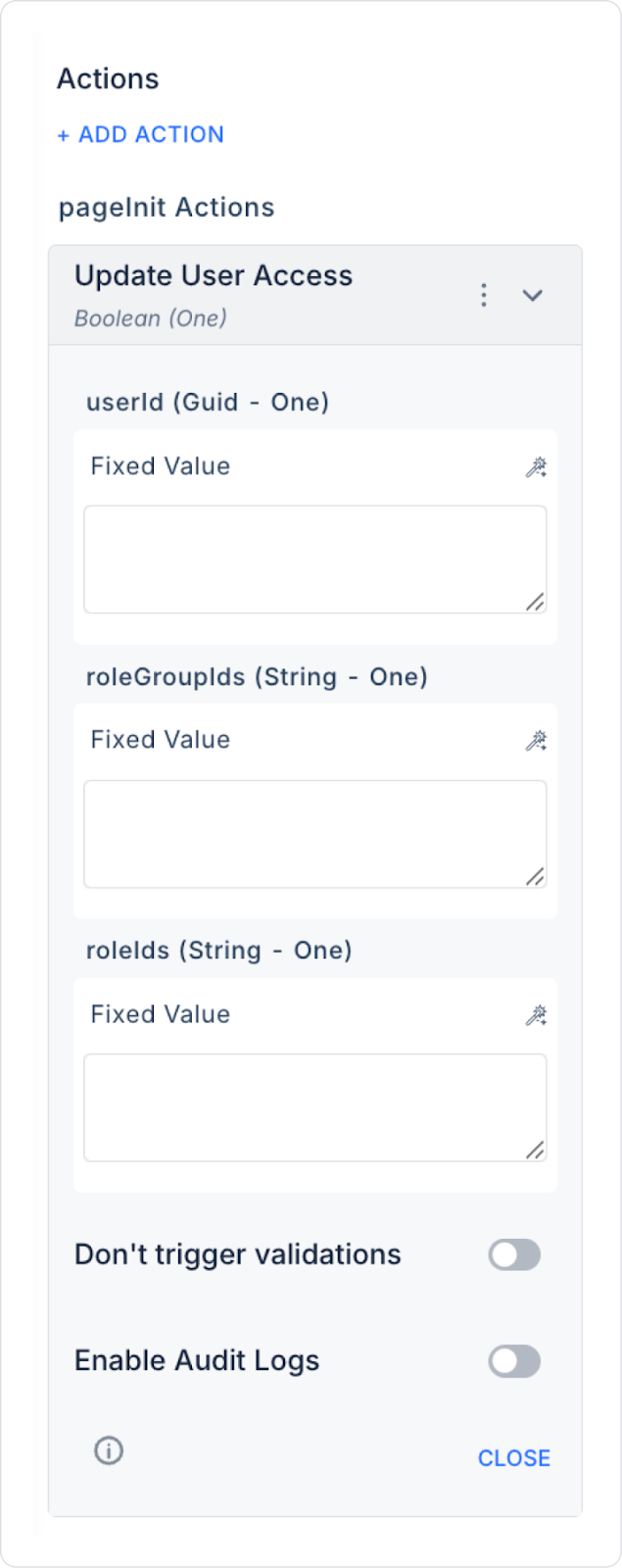
userId (Guid – required): The unique ID of the user whose permissions will be updated (User ID). This field is usually linked via the Symbol Picker tool from one of the following sources:
Get User / Get User By Id actions returning the ID,
Table selected row,
Screen Input, or Fixed Value
roleGroupIds (String – optional): The list of IDs for the role groups to be assigned to the user. When this field is populated, the user's role group accesses are updated.
roleIds (String – optional): The list of IDs for the roles to be assigned to the user. This field can be used to directly assign role-based permissions to the user or to update existing roles.
3. Optional Settings
Enable Audit Logs (Boolean – optional): When enabled, the process of updating user access information is added to the audit log records. This allows you to track which user, with which roles or role groups, when, and by which user it was updated. It is recommended to enable this for applications that require authorization and security tracking.
Usage Scenario: Updating User Permissions
In an admin panel, after changing permissions on the user details screen, the admin user clicks the “Update User Permissions” button.
This triggers the Update User Access action and:
The user's role group assignments are updated,
Directly assigned roles are revised,
The authorization structure is immediately reflected in the system.
Technical Risks
Incorrect User ID: Ensure that the userId field is linked to the ID of an existing user in the system.
Permission Conflicts: Access conflicts must be checked when updating role and role group combinations.
Audit Tracking: In corporate and regulation-required environments, it is recommended to enable the Enable Audit Logs option.