The Save Action Source action is used to save the data generated as a result of an action (Action Result) in the Kuika platform to the Qdrant vector data collection. It is particularly preferred in scenarios where data generated from documents loaded with the Save Source action or from different action outputs needs to be permanently stored and updated.
This action allows you to:
Index data in Action Result as vectors,
Update existing records,
Clean and rebuild collections,
Ensure data integrity by defining specific fields as Primary Keys.
This action can be used in both web and mobile applications.
Technical Features
Action Result-Based Record: Uses the output of another action directly as a data source.
Update Strategy Support: Provides data update control with Clean & Insert or Insert or Update strategies.
Vector Field Selection: Fields to be vectorized can be selected manually.
Primary Key Definition: One or more fields can be defined as Primary Keys to prevent data duplication.
Optional Collection Management: Provides advanced control with the collectionName and Metadata Fields parameters.
Save Action Source Action Application Steps
Adding the Action
Log in to the Kuika platform and open your project.
Go to the UI Design module.
Open the Properties panel on the right side.
Select the relevant trigger from the ADD ACTION menu (e.g., OnClick or Initial Action).
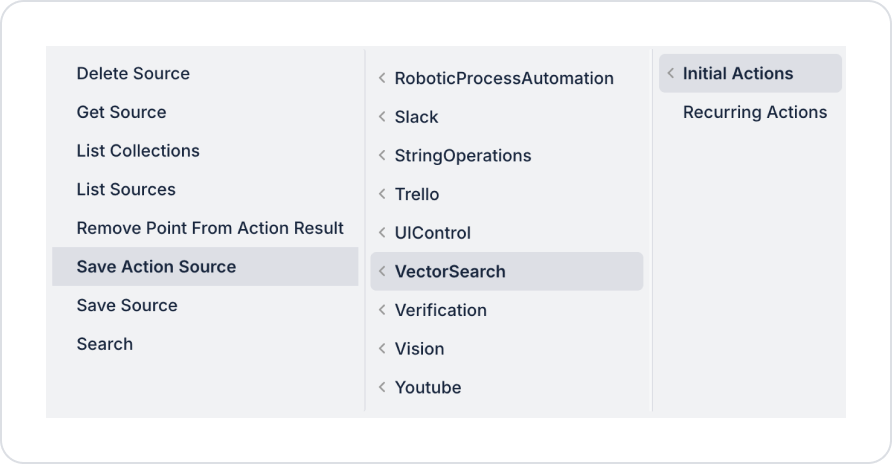
Select the VectorSearch → Save Action Source action.
Configuring Parameters
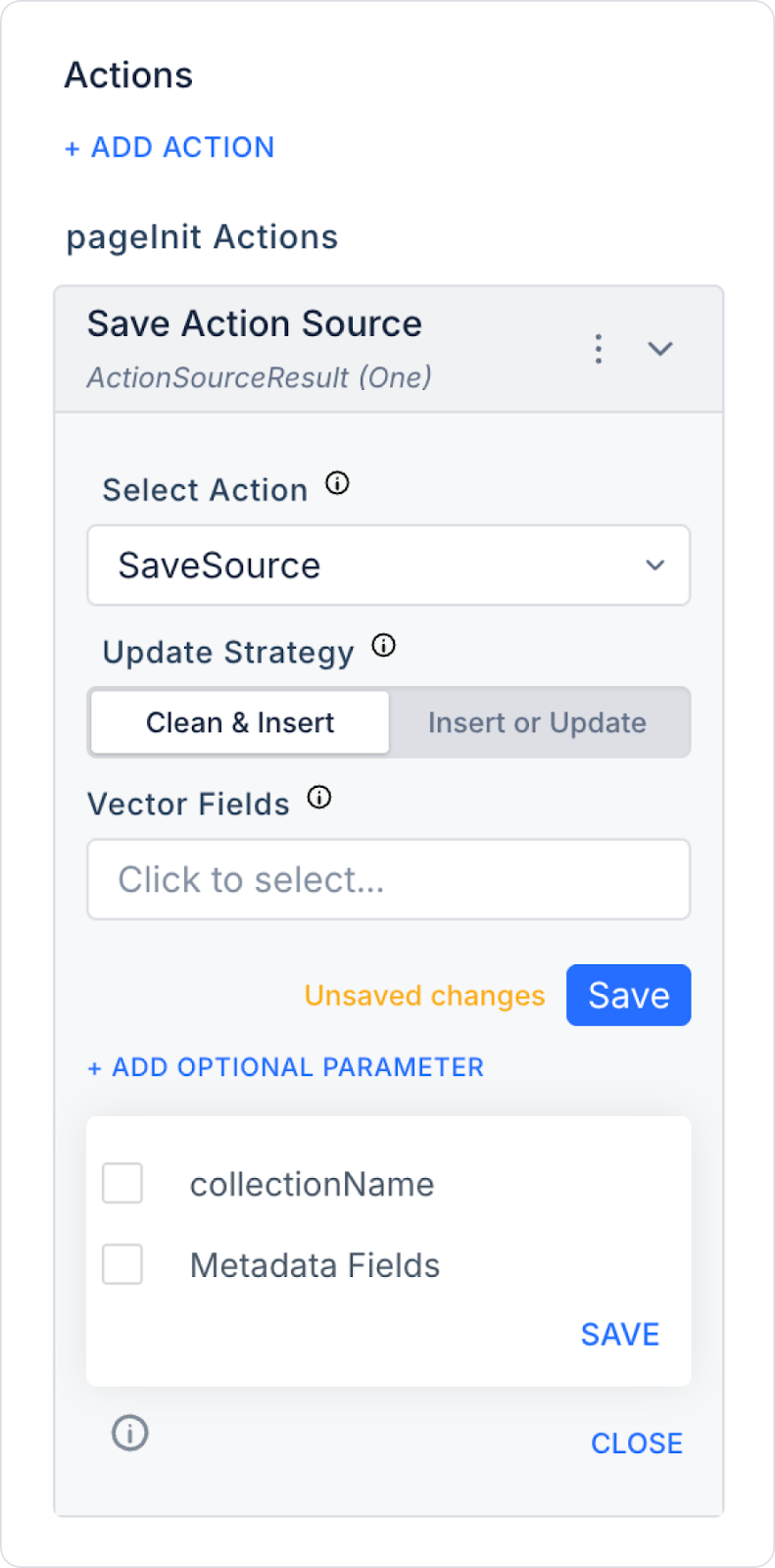
Select Action (Required)
Select the action that generates the data to be saved. For example:
SaveSource
Search
GetSource
Another custom action result
The Action Result output of the selected action is used as the data source.
Update Strategy
There are two different strategies:
Clean & Insert
Cleans the existing collection.
Reloads the new data from scratch.
Recommended for full synchronization scenarios.
Insert or Update
Checks based on the Primary Key.
Updates if the record exists.
Adds a new record if it does not exist.
Recommended for systems with continuous data flow.
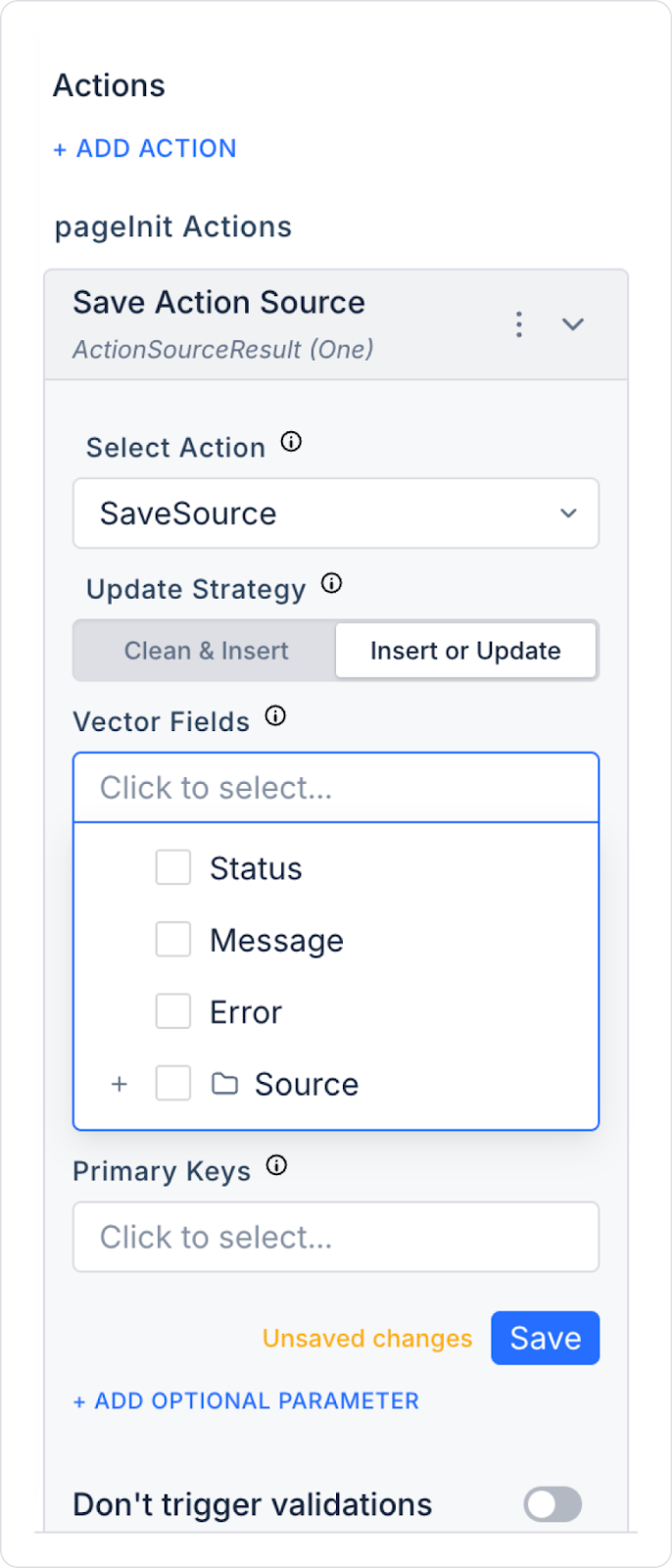
Vector Fields
Specifies the fields to be vectorized and stored in Qdrant.
For example:
Message
Source
Description
Content
These fields are subject to embedding and are used in the search infrastructure.
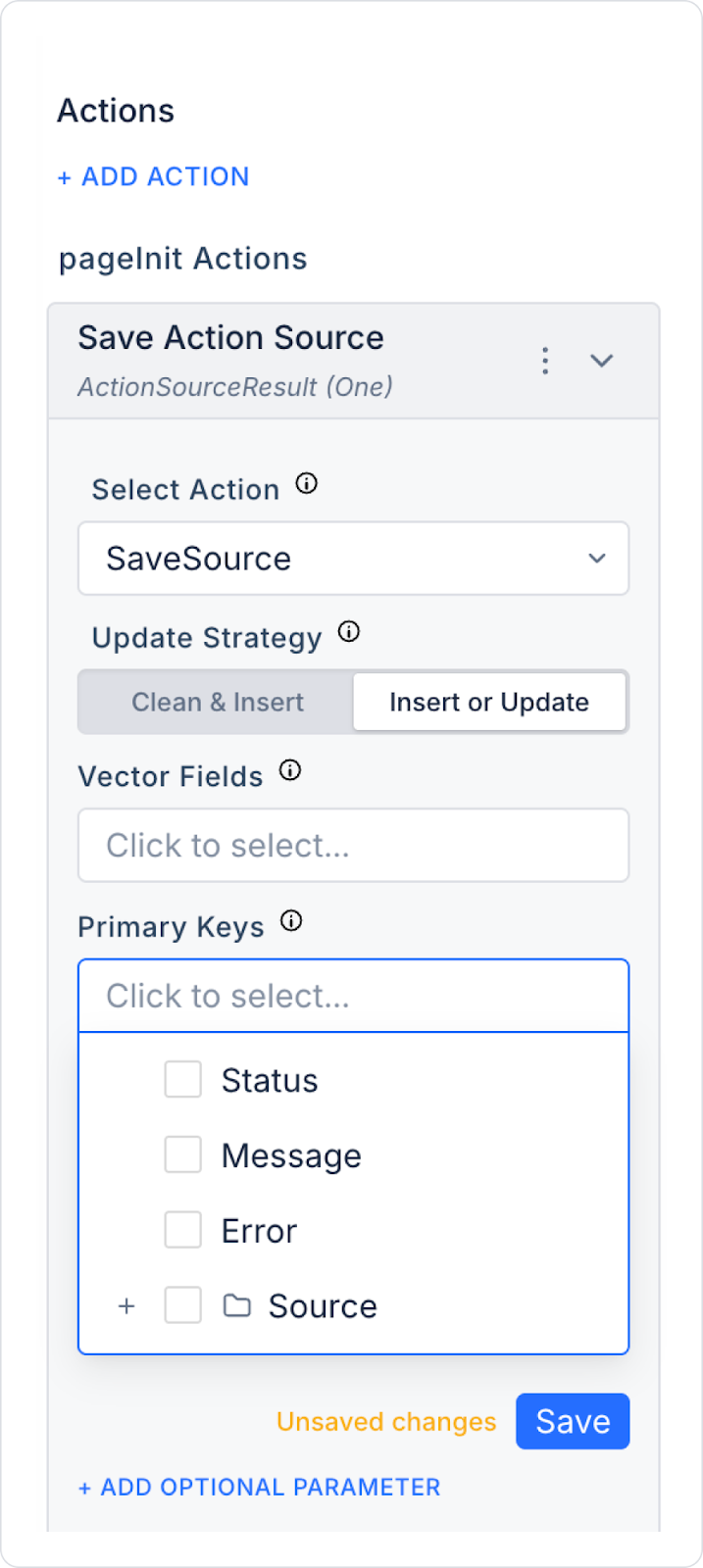
Primary Keys
Allows you to select unique fields to prevent data duplication.
For example:
Source
Id
DocumentId
This is particularly important when using the Insert or Update strategy.
Optional Parameters
The following fields can be added using the + ADD OPTIONAL PARAMETER button:
collectionName: Specifies the name of the collection where the data will be stored. If not specified, the default collection is used.
Metadata Fields: Ensures that fields other than embedding are stored as metadata.
Usage Scenario: Making the Action Result Persistent
A user has uploaded documents from Google Drive to the system using the Save Source action. When they want to:
Specify vector fields,
Update based on the Primary Key,
Keep them under a specific collection
The Save Action Source action is used.
For example:
Select Action → SaveSource
Update Strategy → Insert or Update
Vector Fields → Message, Source
Primary Keys → Source
collectionName → googledrive1
Thanks to this structure, duplicate records are not created when documents are re-uploaded.
Post-Action Behavior
When the action is executed:
The selected Action Result is retrieved,
The specified fields are sent to the embedding process,
It is saved or updated in the Qdrant collection,
System log records are created.
Technical Risks
Incorrect Primary Key Definition: Duplicate records may occur.
Clean & Insert Usage: All data in the existing collection is deleted.
Empty Vector Field: The embedding process may fail.
Incorrect Collection Name: Data may be distributed across different collections.