The Remove Point From Action Result action deletes vector records (points) that were previously added as an action result from the Qdrant collection. This action is used when data added with Save Source or Save Action Source needs to be retrieved or cleaned based on a specific correlationId.
This action enables you to:
Delete records associated with a specific correlationId,
Clean up old records before updating data,
Ensure data consistency during synchronization processes.
The action returns a Boolean (true/false) value.
Technical Specifications
CorrelationId-Based Deletion: The deletion process is performed via correlationId.
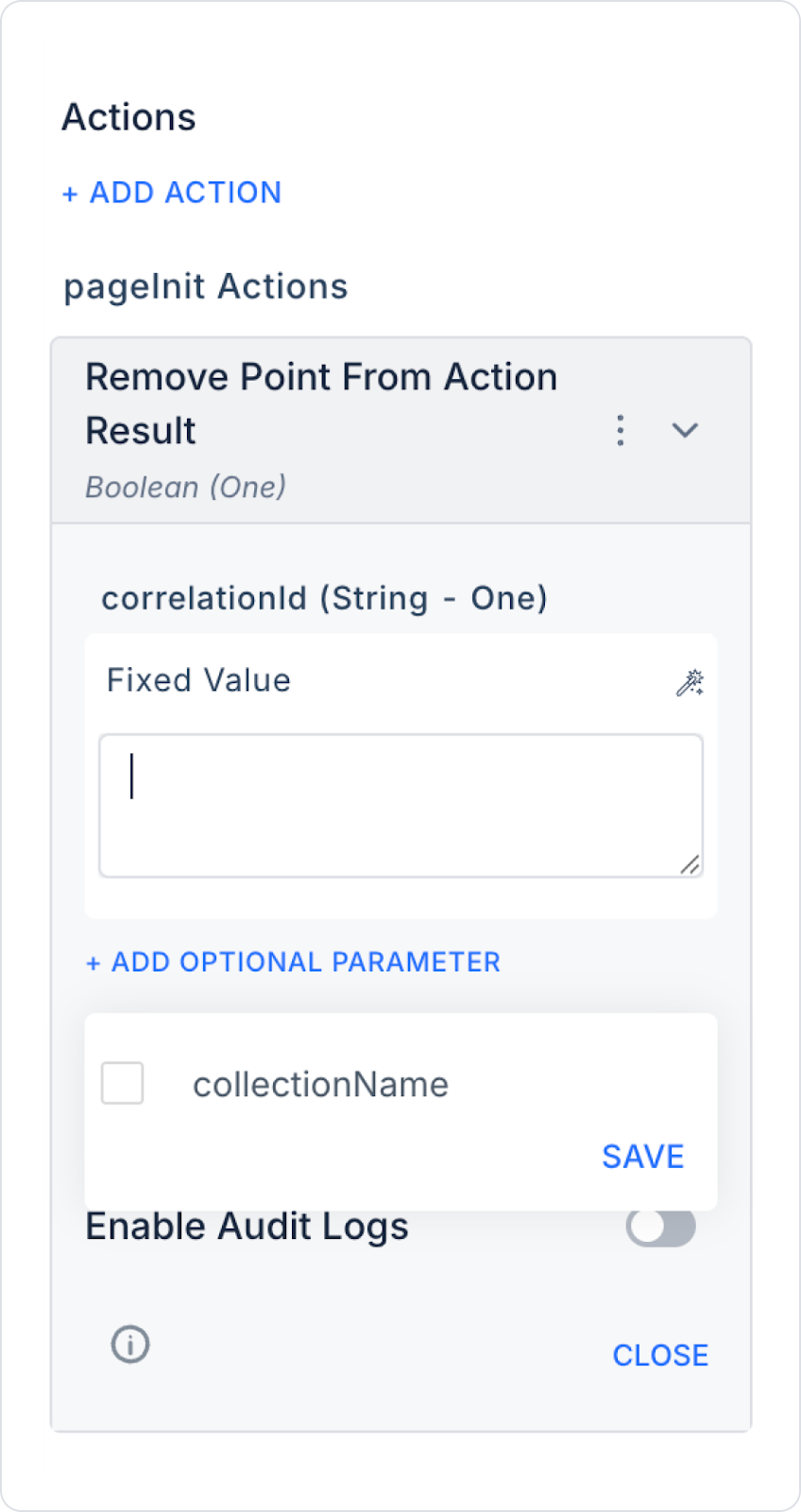
Collection Selection (Optional): The target collection can be customized by specifying a specific collectionName.
Log Support: If Enable Audit Logs is activated, the deletion process is recorded in the system logs.
Web and Mobile Compatibility: Can be used in both web and mobile applications.
Remove Point From Action Result Action Application Steps
Adding the Action
Log in to the Kuika platform.
Open your project from the Apps screen.
Go to the UI Design module.
Click the + ADD ACTION option in the Properties panel on the right side.
Select the relevant trigger (OnClick, Initial Action, etc.).
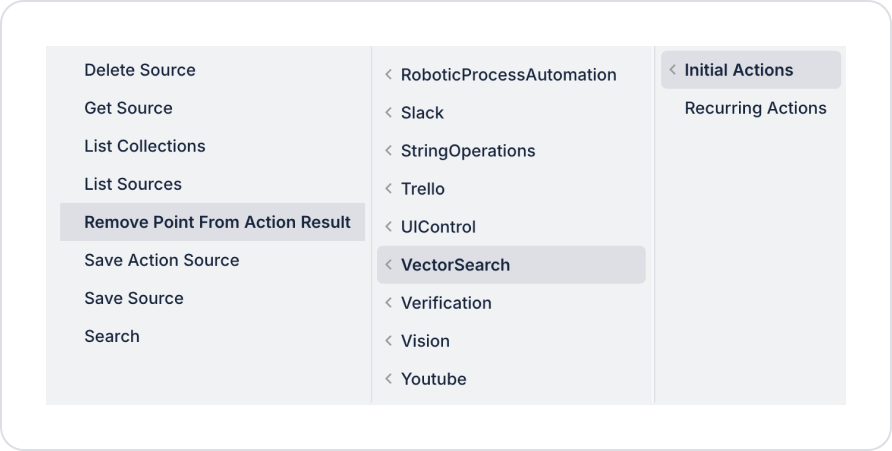
Add the VectorSearch → Remove Point From Action Result action.
Configuring Parameters
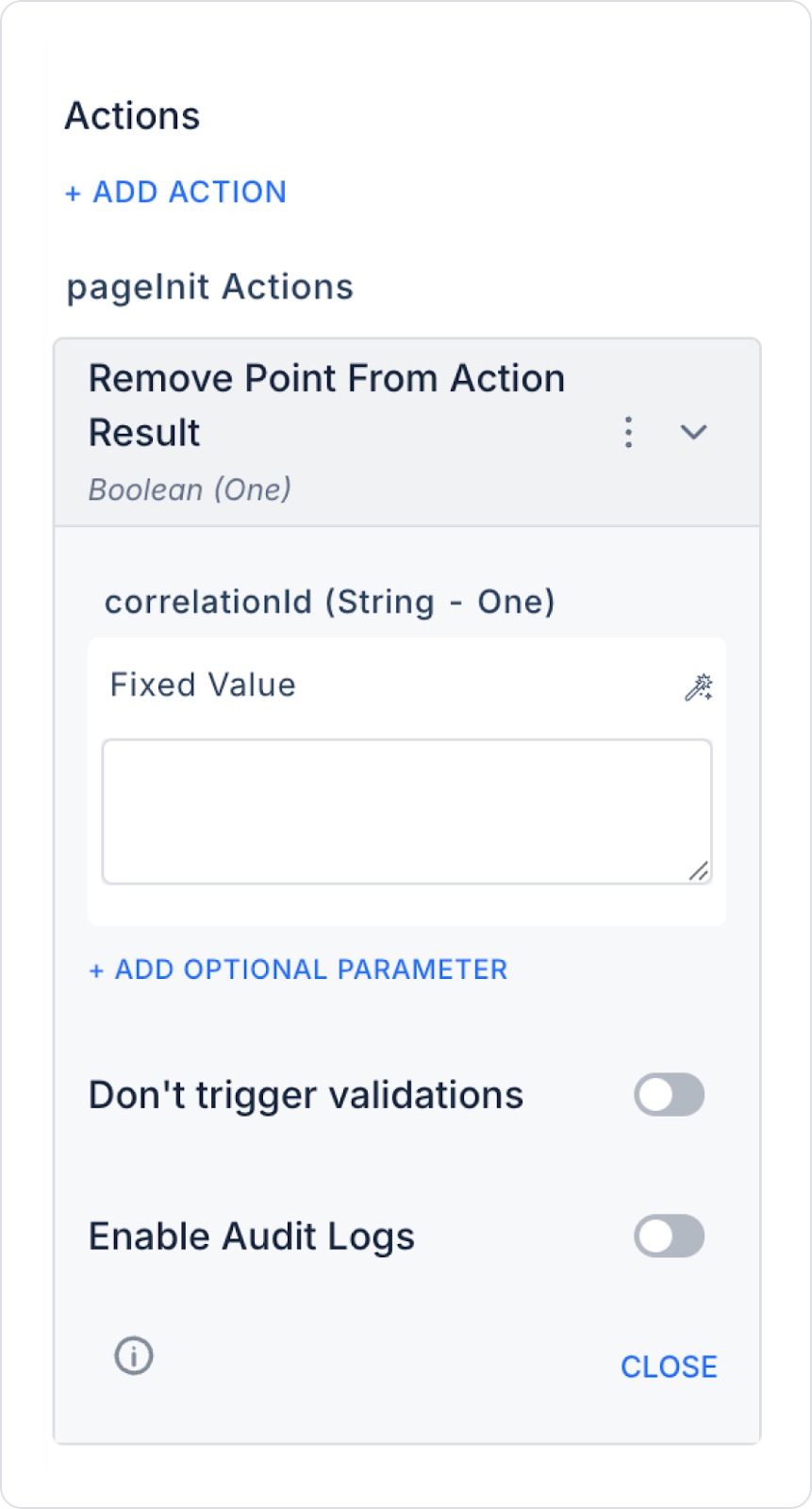
correlationId (String – Required)
This is the unique key that identifies the records to be deleted.
This value can be:
The Correlation Id provided during Save Source,
The correlation used in the Save Action Source operation,
It can be dynamically retrieved from a variable or Action Result.
Example usage: Fixed Value → project_documents_2025 or can be dynamically bound using Symbol Picker.
Optional Parameters
collectionName (Optional): Specifies the collection in which the deletion will be performed. If not specified, the default collection is used.
Don't trigger validations: Prevents form validations from being triggered during the deletion process.
Enable Audit Logs: Logs the deletion operation to the system logs. Especially recommended in production environments.
Remove Point From Action Result Action Usage Scenario
Scenario 1: Pre-Update Cleanup
A user synchronizes documents in Google Drive every 4 hours. They want to clean up old records before new data is uploaded.
Flow:
Remove Point From Action Result → correlationId → project_documents
Save Source
Save Action Source
This structure cleans up the collection and reloads the current data.
Scenario 2: Deleting a Specific Source
When a user wants to delete a document via the application:
The relevant records are removed from Qdrant via correlationId.
They no longer appear in search results.
Post-Action Behavior
When the action is executed:
All points with the specified correlationId are identified.
They are deleted from the relevant collection.
The operation returns a Boolean result:
true → Deletion successful
false → Error or record not found
Technical Risks
Incorrect use of correlationId: Unexpected data may be deleted.
Failure to specify collectionName: Deletion may occur in the default collection.
Failure to reload data after cleanup: The collection may remain empty.