Google Map Reverse Geocode action is used to convert given geographic coordinates (latitude, longitude) into address information. When a user selects a location or the device sends its GPS location, this action returns the corresponding address (street, neighborhood, city, etc.). It is frequently preferred in map-based applications, location-based services, and address verification processes.
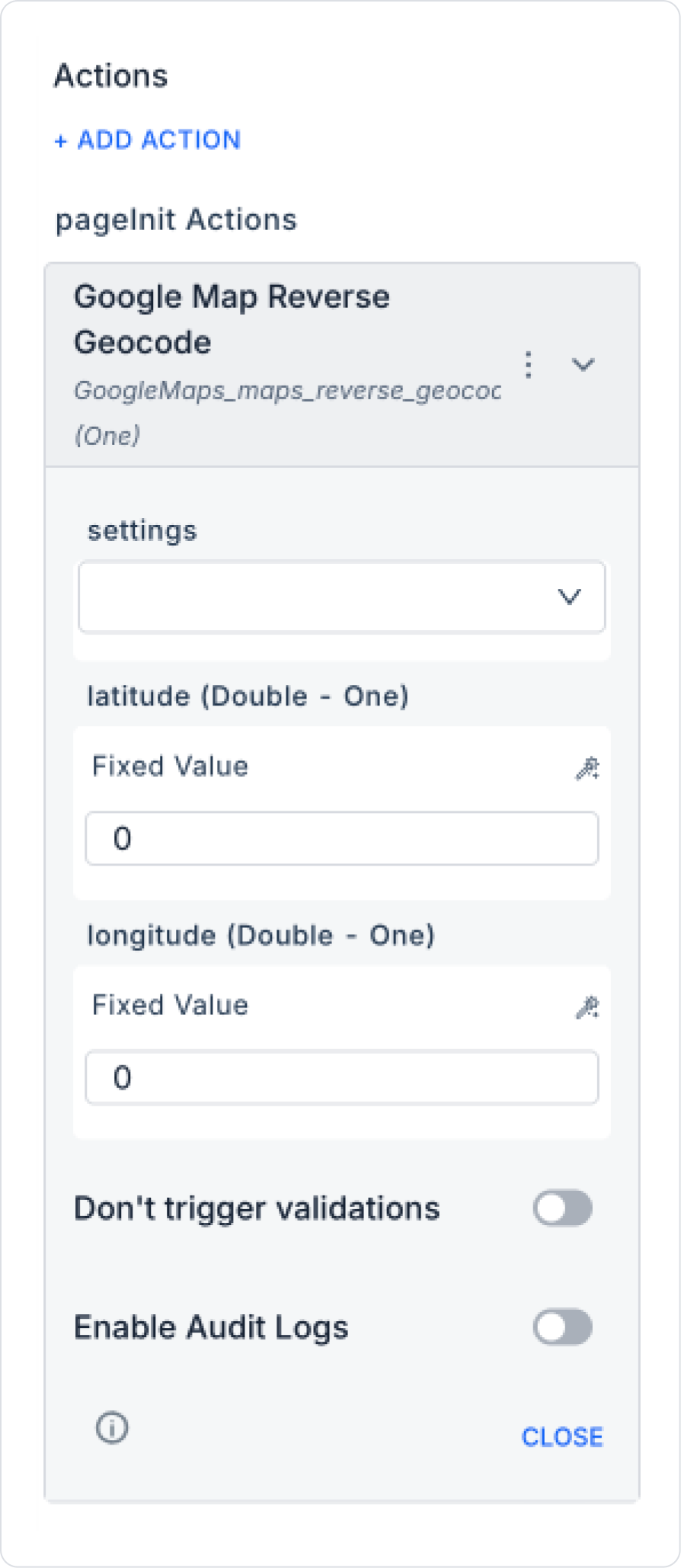
settings (Object – required): Connection settings required for Google Maps integration.
latitude (Double – required): Latitude value.
longitude (Double – required): Longitude value.
Result: Singular (One) → returns the address information for the relevant coordinates.
Value Binding:
Can be entered as a Fixed Value.
Can be obtained dynamically from device GPS data or a selection on the map.
Web & Mobile Support: Can be used in both web and mobile applications.
Google Map Reverse Geocode Application Steps
1. Adding an Action
Open the screen in your Kuika project where the address will be obtained from the location.
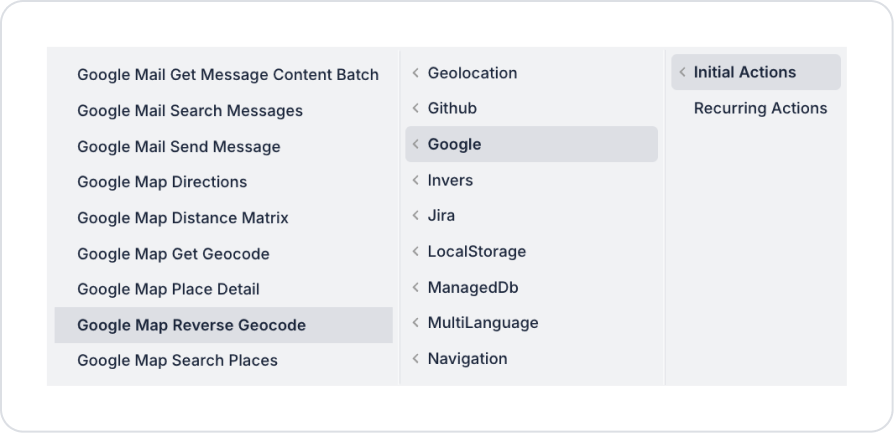
Add the UI Design → + ADD ACTION → Google → Google Map Reverse Geocode action.
2. Configuring Parameters
settings: Google Maps settings are selected.
latitude / longitude:
Fixed use → latitude = 39.9208, longitude = 32.8541.
Dynamic use → GPS location obtained from the device or a map point selected by the user.
Enable Audit Log: When enabled, the process of querying active delegations is added to the audit log records. This allows you to track which user's delegation information was viewed, when, and through which action.
Usage Scenario: “Converting GPS Location to Address”
In a delivery application, when the courier's GPS location is obtained, these coordinates are converted to address format.
Steps:
The information latitude = 41.0082, longitude = 28.9784 is obtained from the courier's device.
Google Map Reverse Geocode runs.
Result returned: “Sultanahmet, Fatih, Istanbul, Turkey”.
This address is automatically filled in the app.
Google Map Reverse Geocode Advanced Customizations
Live Location: The user's current location can be continuously reverse geocoded to find the current address.
Address Verification: When the user manually enters an address, it can be verified by comparing it with the coordinates.
Route Preparation: The returned address information can be linked to the Google Map Directions action to prepare a route.
Technical Risks and Controls
Incorrect or zero (0,0) coordinates may return meaningless results.
Less precise coordinates (e.g., representing only the city center) may return more general addresses.
An error may occur when Google Maps API quota limits are exceeded.