

Kuika's Get Workflow Role To Processes action is used to list which roles are associated with which processes defined on the workflow (Process Automation) side. This allows role-based process accesses to be viewed, reported on management screens, and used as a data source for authorization checks.
Get Workflow Role To Processes is preferred for analyzing process-based authorization structures, answering the question “Which role can perform tasks in which processes?”, and displaying role-process matches in administrator panels.
Technical Features
1. Defining the Action in UI Design
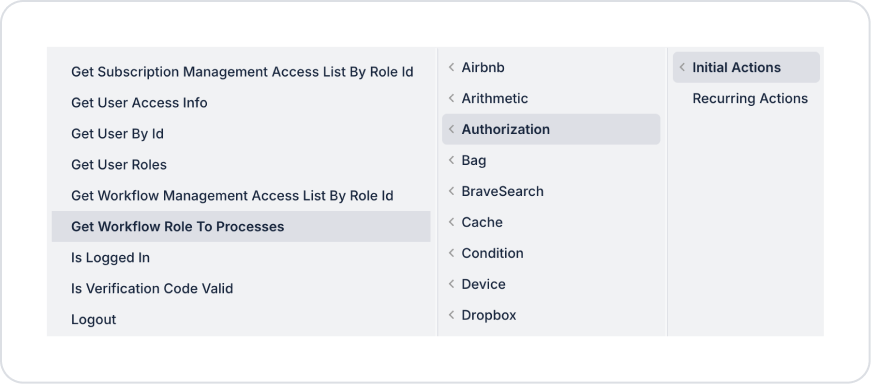
2. Action Parameters
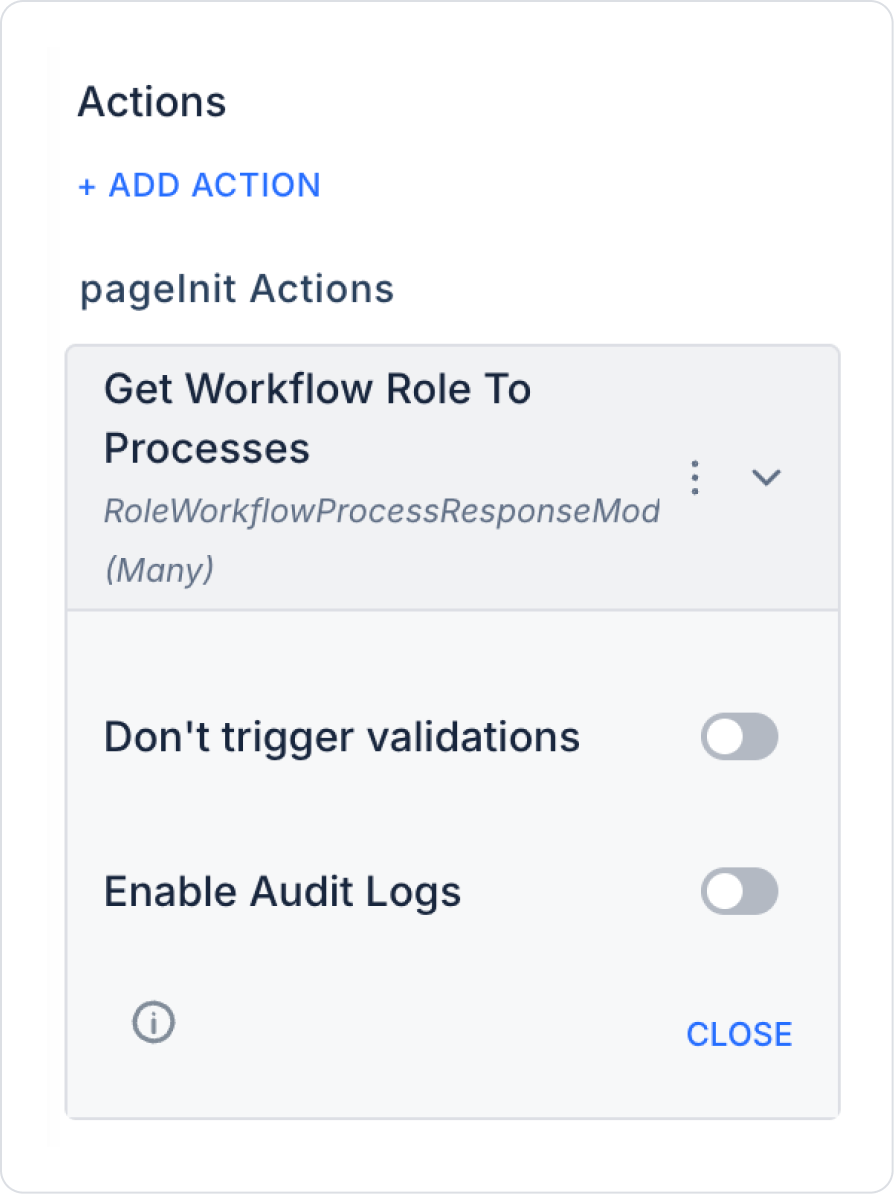
The Get Workflow Role To Processes action does not contain any mandatory parameters. When the action runs, role-process relationships are automatically listed.
3. Optional Settings
Enable Audit Logs (Boolean – optional): When enabled, the process of querying the role-process relationship list is added to the audit log records. This allows you to track which user, when, and through which action viewed the role-process matches. It is recommended to enable this in applications that require authorization and security tracking.
An admin user clicks the “List Role-Process Relationships” button in an admin panel.
This triggers the Get Workflow Role To Processes action, listing the roles defined in the system and their associated processes in a table. This allows the admin to quickly review process-based access structures and easily identify potential authorization issues.


