User Manual

Get Role Groups With Relations

28/1/26
Get Role Groups With Relations

Kuika's Get Role Groups With Relations action is used to list the role groups defined in the system, along with the roles and related role groups associated with these role groups. This action enables the authorization structure to be viewed holistically by retrieving role group–role relationships in a single operation.

Get Role Groups With Relations is preferred in management screens where the roles contained in role groups and hierarchical relationships need to be displayed together, especially in complex authorization scenarios.

Technical Features

  • List Related Role Groups (Authorization Panel): Returns role groups along with associated roles and role group relationships. This allows the entire authorization structure to be viewed without the need for an additional action call.
  • Authorization Compatibility: The retrieved role group and relationship data are fully compatible with the Authorization infrastructure and can be used in authorization checks, viewing, or editing operations.
  • Web & Mobile Support: The action is supported on both web and mobile platforms.

Get Role Groups With Relations Action Application Steps

1. Defining the Action in UI Design

  • Open your project on the Kuika platform.
  • Go to the UI Design module and select the relevant screen.
  • Create a button, table, or page opening trigger to display role groups with their relationships (e.g., “View Role Groups with Relationships”).
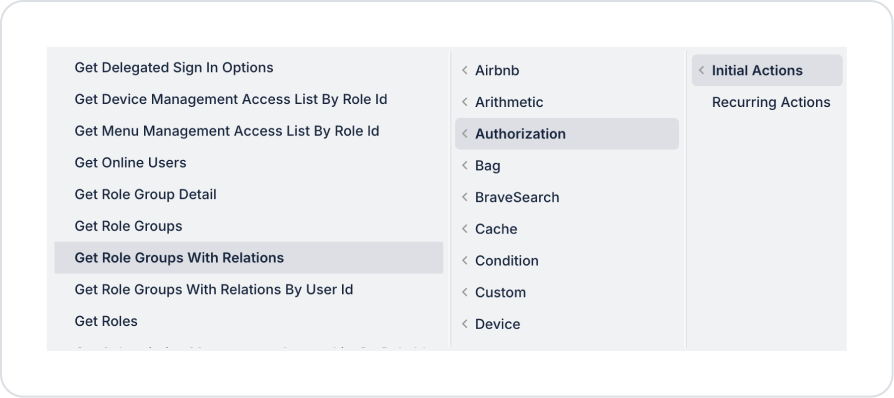
  • Select the relevant element and add the Authorization → Get Role Groups With Relations action from the + ADD ACTION menu, depending on the trigger event to be used.

2. Action Parameters

The Get Role Groups With Relations action does not contain any mandatory parameters. When the action is executed, all role groups defined in the system are listed along with their associated roles and role group connections.

3. Optional Settings
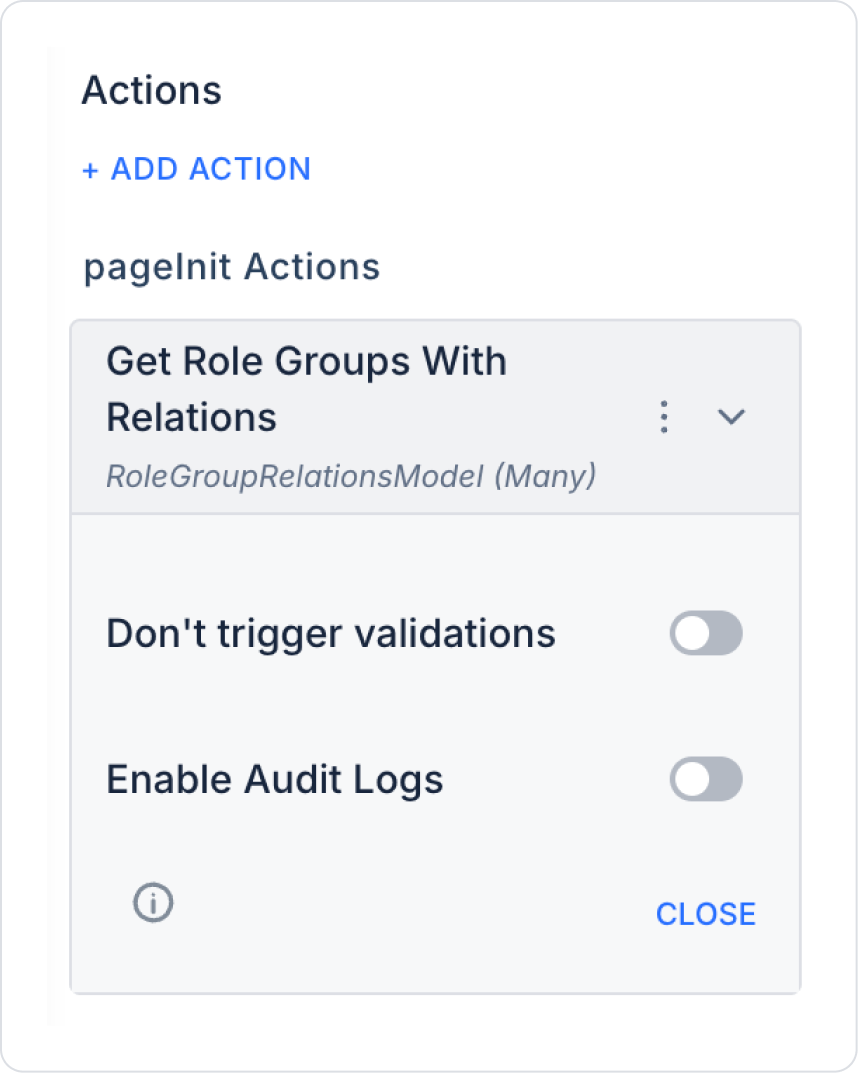
Enable Audit Logs (Boolean – optional): When enabled, the process of listing role groups with their relationships is added to the audit log records. This allows tracking which user, when, and through which action viewed the authorization structure. It is recommended to enable this in applications requiring authorization management and security tracking.

Usage Scenario: Listing Role Groups with Their Relationships

In an administration panel, the Get Role Groups With Relations action is used to display the hierarchical structure of role groups in the system. When the action is triggered:

  • Role group names
  • Roles associated with role groups
  • Sub/parent role group relationships

are brought together into a single data set and can be displayed in a table or tree structure. This structure facilitates quick analysis and editing of the authorization architecture.

Technical Risks

  • Unauthorized Access: This action should only be executed by users with authorization management privileges.
  • Audit Tracking: In corporate and regulation-required applications, it is recommended to enable the Enable Audit Logs option.
  • Data Presentation: Since the related data structure can be complex, it is recommended to display it using appropriate UI components (tree, accordion, expandable table, etc.).
No items found.

Other Related Content

No items found.

Glossary

No items found.

Alt Başlıklar