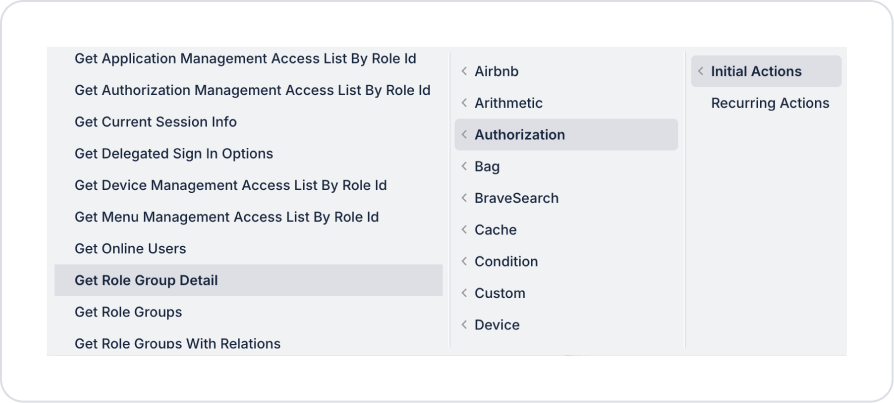
Kuika's Get Role Group Detail action is used to query the detailed information of a role group defined in the system individually. This action allows the roles, associated role groups, and basic identifying information belonging to a specific role group to be displayed within the application or used in other actions.
Get Role Group Detail is preferred for listing role group details in authorization management screens, displaying the current status before editing, or checking role-role group relationships.
Technical Features
Role Group Detail Query (Authorization Panel): Returns all details belonging to the specified Role Group ID through a single response model.
Authorization Compliance: The queried role group information is fully compliant with the Authorization infrastructure and can be used in role/role group management.
Web & Mobile Support: The action is supported in both web and mobile applications.
Get Role Group Detail Action Application Steps
1. Defining the Action in UI Design
Open your project on the Kuika platform.
Go to the UI Design module and select the relevant screen.
Create a button, table row action, or page load trigger to display role group details (e.g., “View Role Group Details”).
Select the relevant element and add the Authorization → Get Role Group Detail action from the + ADD ACTION menu, depending on the trigger event to be used.
2. Configuring Action Parameters
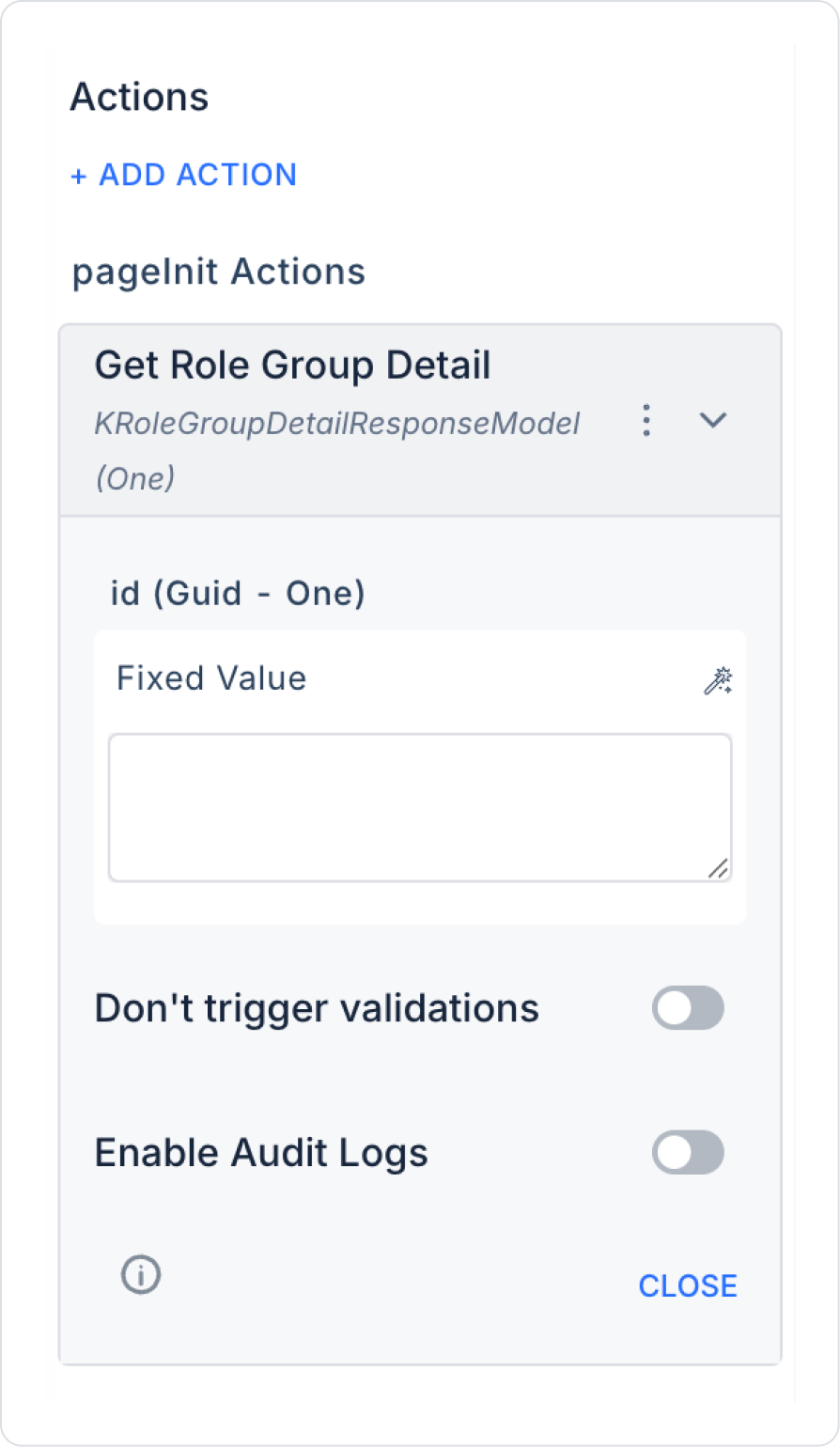
id (Guid – required): The unique ID of the role group whose details will be retrieved (Role Group ID). This field is typically:
Action Result (after the role groups list),
Table / List selected row,
Screen Input,
Fixed Value
Enable Audit Logs (Boolean – optional): When enabled, the role group detail query is added to the audit log records. This allows the system to track which role group was viewed, when, and through which action. It is recommended to enable this in applications that require authorization and security tracking.
Usage Scenario: Viewing Role Group Details
In an administration panel, the role groups defined in the system are listed in a table.
When the user selects a role group from the list, the Get Role Group Detail action is triggered and:
The name of the role group
Associated roles
Role groups it belongs to
are displayed on the detail screen. This structure allows you to clearly see the current status before editing the role group or checking permissions.
Uses of the Get Role Group Detail Action
Role group detail screens
Data loading before role group editing
Checking authorization structures
Role-role group relationship visualizations in administrator panels
Technical Risks
Invalid ID Usage: Ensure that the id parameter belongs to a role group that exists in the system.
Unauthorized Viewing: This action should only be triggered by authorized users.
Audit Tracking: The Enable Audit Logs option should be activated in critical applications.