The Get Audit Logs action is used to list the project’s general audit logs in paginated format. Unlike the Get Document Audit Logs action, it focuses on auditable actions across the entire project rather than on a single document.
The logs are returned in descending order by date, with the most recent action at the top.
The Get Audit Logs action is available in both web and mobile applications.
Permission Requirement
The user must have permission to view audit logs for the project.
Steps to Implement the Get Audit Logs Action
1. Defining the Action in UI Design
Open your project in the Kuika platform.
Switch to the UI Design module and create an “Audit Logs” screen.
Add a Table element.
Define an event:
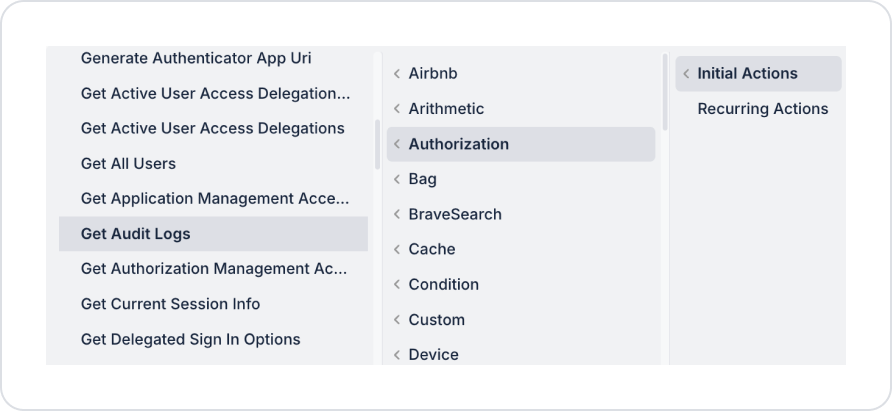
Initial Actions (pageInit) → Authorization → Get Audit Logs
2. Configuring Parameters
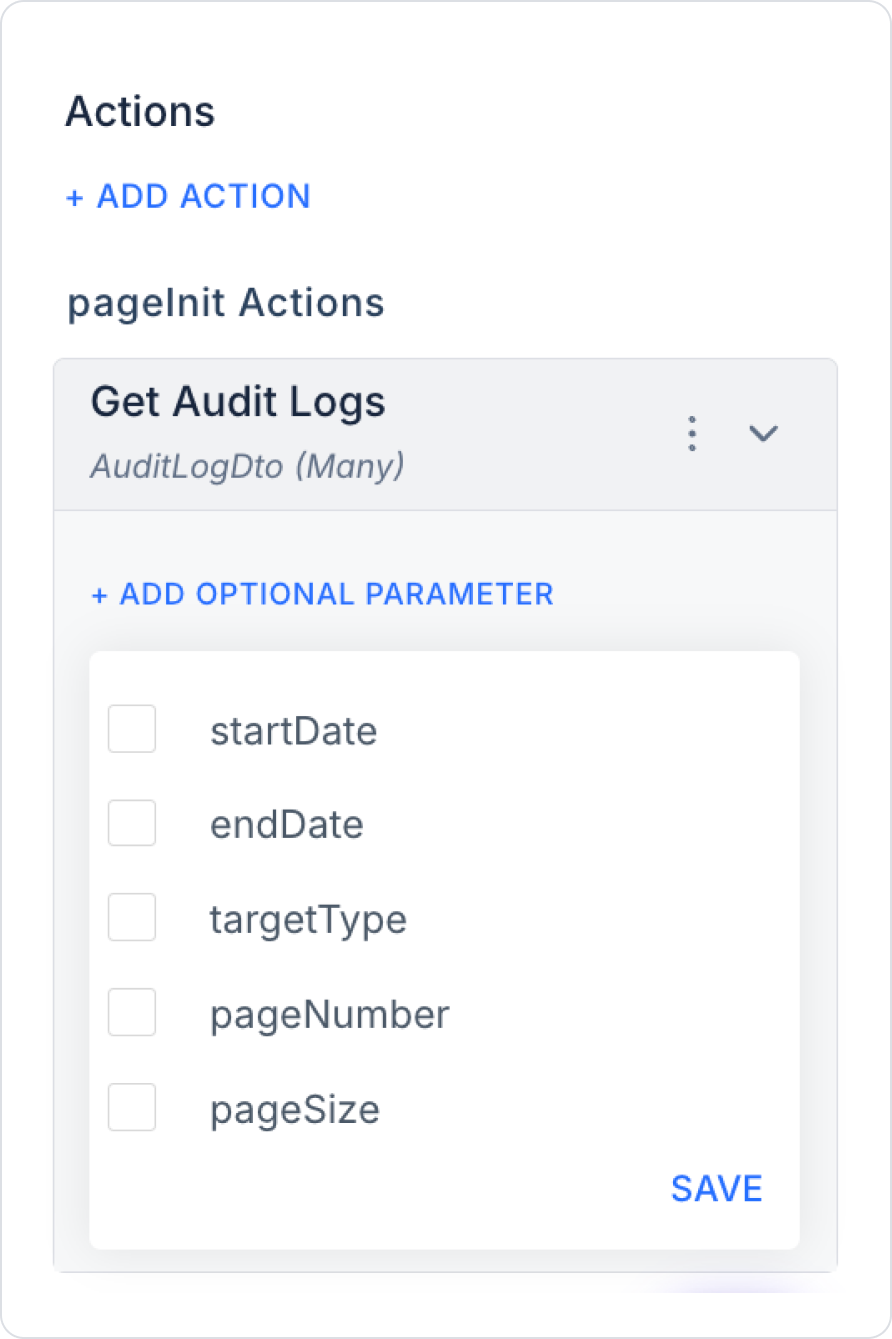
Optional Parameters:
startDate (DateTime): Specifies the start date of the audit logs. If not specified, all historical records are included.
endDate (DateTime): Specifies the end date of the audit logs. If not specified, records are retrieved up to the most recent entry.
targetType (String): Specifies the type of entity for which records will be retrieved (e.g., User, Role, Document).
pageNumber (Int): The page number. (Default: 1)
pageSize (Int): The number of records per page. (Default: 50, Maximum: 200)
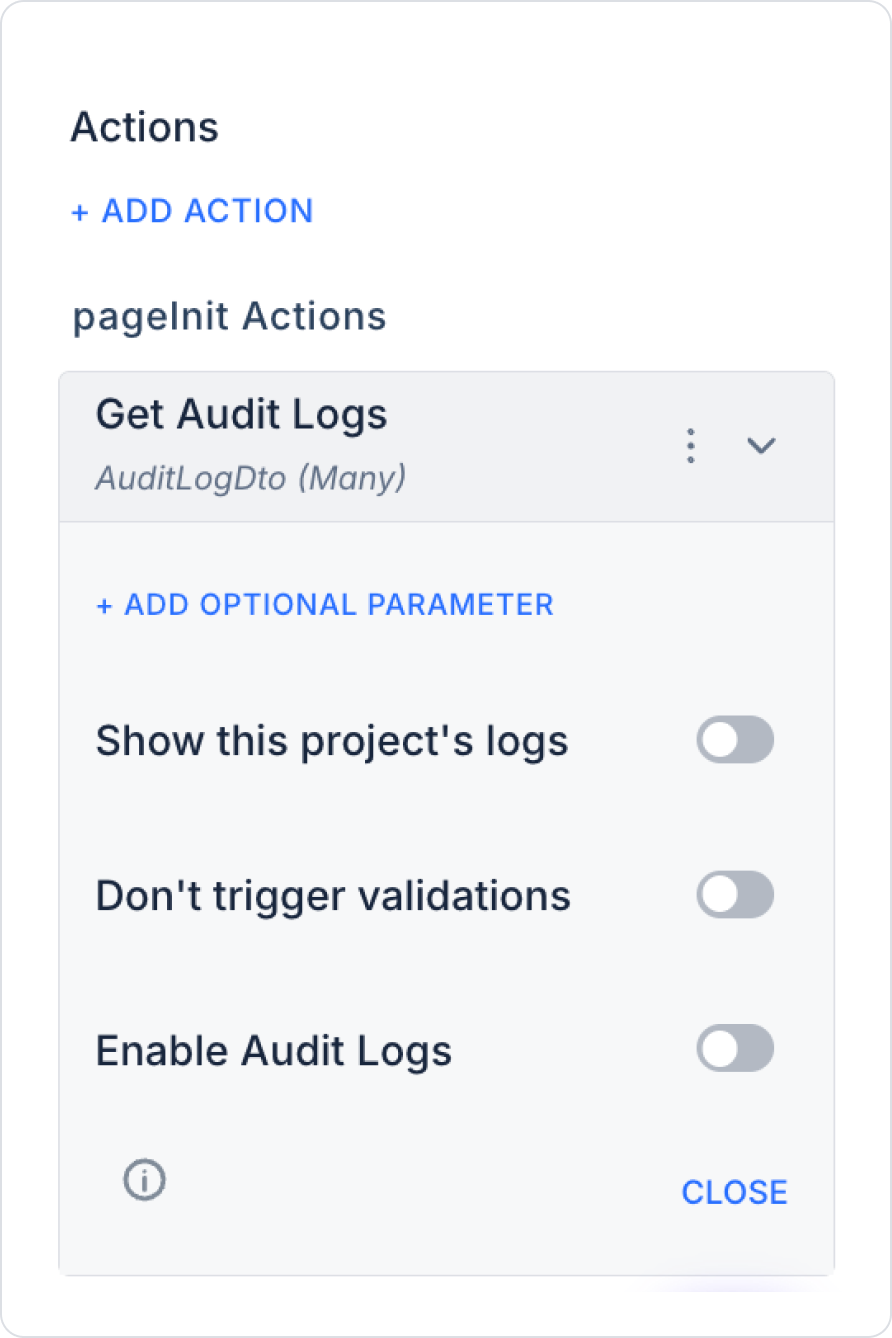
Additional Configuration Options (toggle):
Show this project's logs: When enabled, only audit logs for the current project are retrieved. When disabled, logs for all projects the user has access to can be listed.
Don’t trigger validations: When enabled, standard validation checks are skipped while the action is running. This can be used in performance-focused scenarios or in background processes where validation is unnecessary.
Enable Audit Logs: Determines whether this action itself generates an audit log. When enabled, the process of displaying the audit log data is also logged separately by the system.
Return Value
AuditLogDto[] (Many): A list of paginated audit logs.
Records may contain the following fields:
Action
UserId
TargetType
OccurredAt
Details
Response Header Information
X-Total-Count: Total number of records
X-Page: Current page
X-Page-Size: Page size
Use Case: Viewing Audit Logs Across the Project
An administrator wants to review user and authorization actions that have occurred across the project.
Steps:
Create the “Audit Logs” screen.
Run the action:
Initial Actions → Get Audit Logs
Optionally bind the parameters:
startDate, endDate → DateRange component for selecting a date range
targetType → Selection via a Select Box
After the action:
Display the returned data in a Table component.
The following information can be displayed in each row:
Filtering (date range, target type, user) can be supported on the UI side using elements such as Select Box and DateRange.
Can be used in security and compliance dashboards.
Critical operations (role change, permission assignment, deletion) can be highlighted in the table with color or a badge.
Since data from multiple projects is received even when “Show this project's logs” is disabled, it is recommended to add a “Project” column to the table.
Technical Risks and Controls
The `pageSize` value should not exceed 200.
Pagination must be used for large data sets.
Permission controls must be implemented correctly; actions should not return data to users who do not have permission to view audit logs.
Additional logs generated when “Enable Audit Logs” is active should be monitored in terms of system performance and log volume.