The Full-Text Search Engine is a settings area used to configure the infrastructure that enables fast, advanced, and meaningful searches of text-based data within the application.
This infrastructure is not limited to document management; it enables searching across products, records, log data, and all other text content.
By establishing a connection between the selected search engine and the application, indexing, search, filtering, and performance settings are activated in real time.
Accessing Full-Text Search Engine Settings
Log in to the Kuika platform.
Open the project you’ll be working on from the Apps screen.
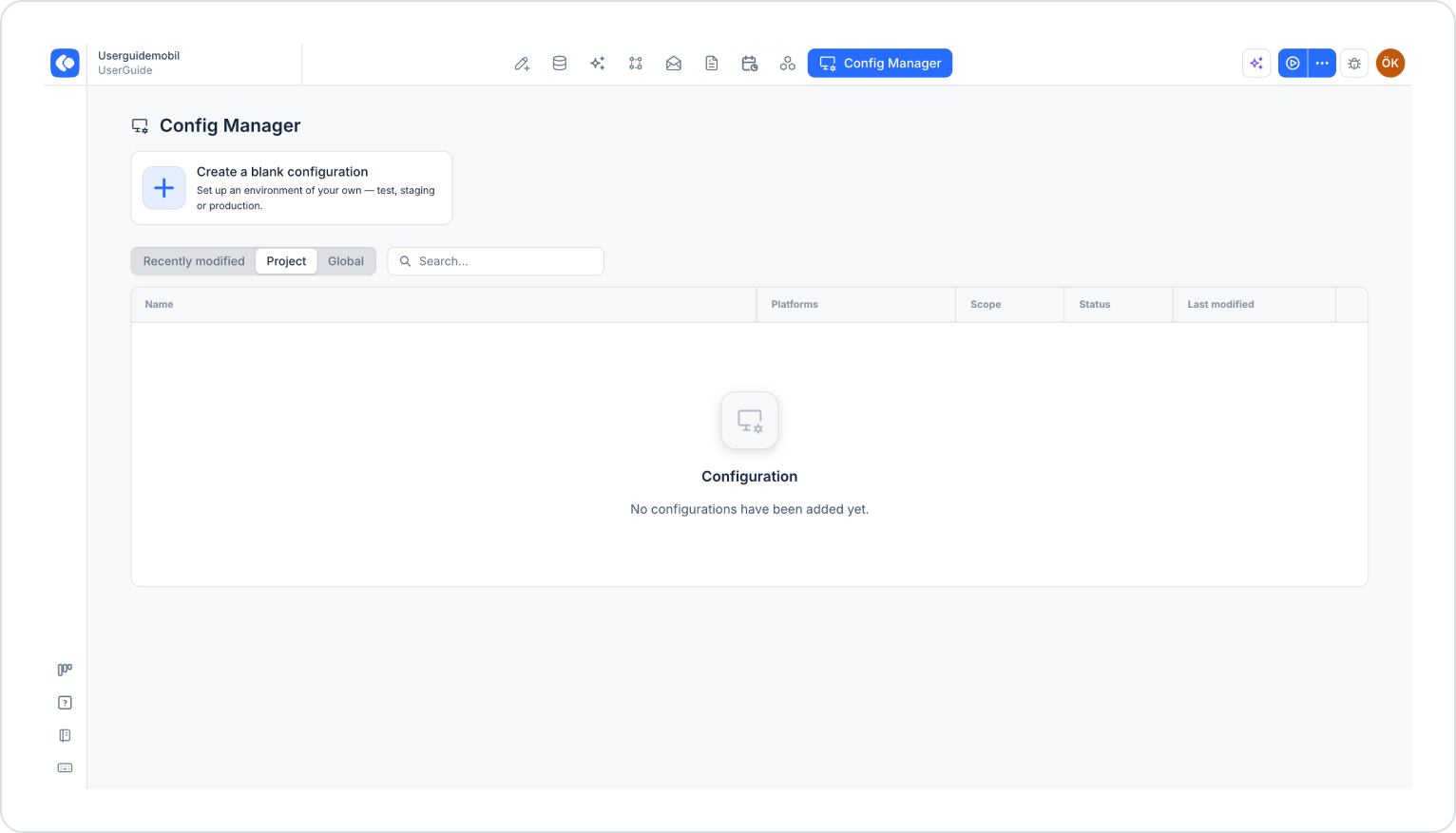
Click the Config Manager module in the top menu.
To create a new configuration, click the Create a blank configuration card, give the configuration a name, and complete the creation process. If you want to use an existing configuration, click its name in the list.
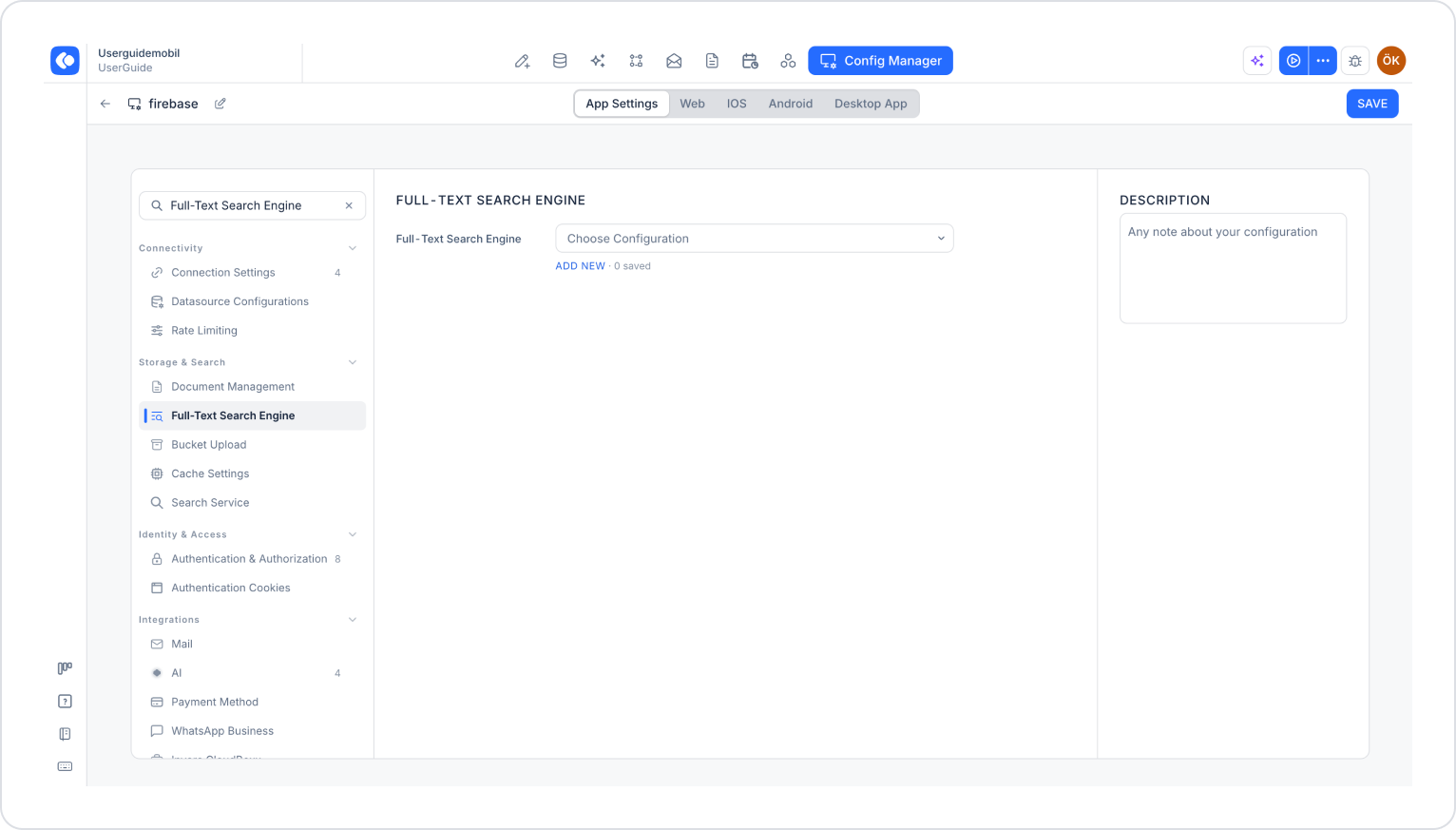
Make sure the App Settings tab is selected at the top of the configuration screen.
In the left menu, click the Full-Text Search Engine option under the STORAGE & SEARCH heading.
On this screen, you can select a saved configuration from the Full-Text Search Engine dropdown menu or add a new configuration.
Full-Text Search Engine Configuration
To add a new search engine configuration:
Click the Add New link below the Full-Text Search Engine field.
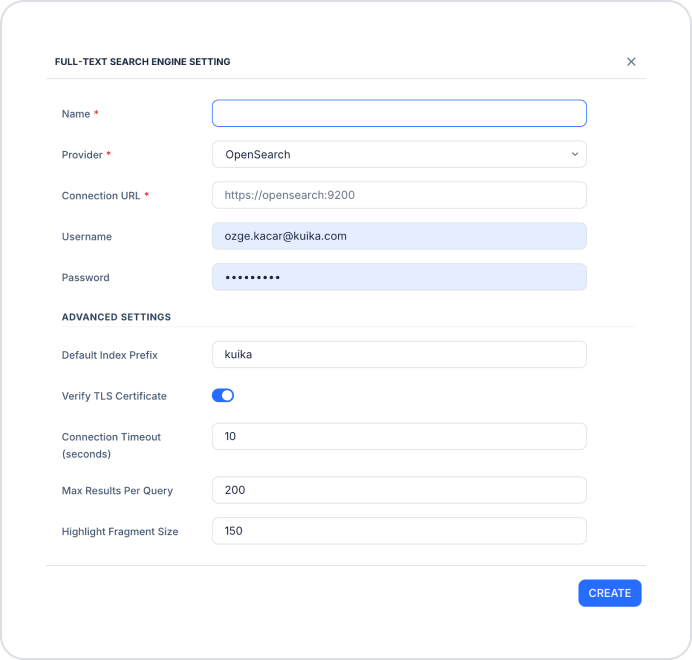
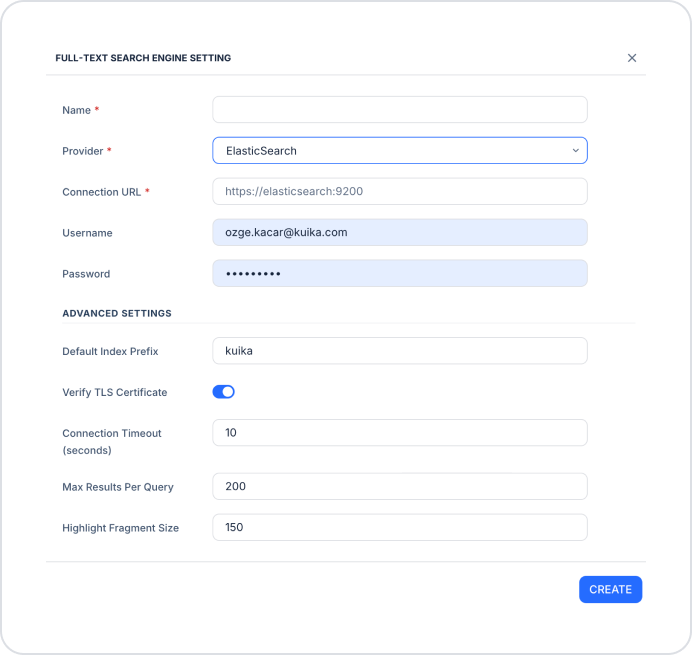
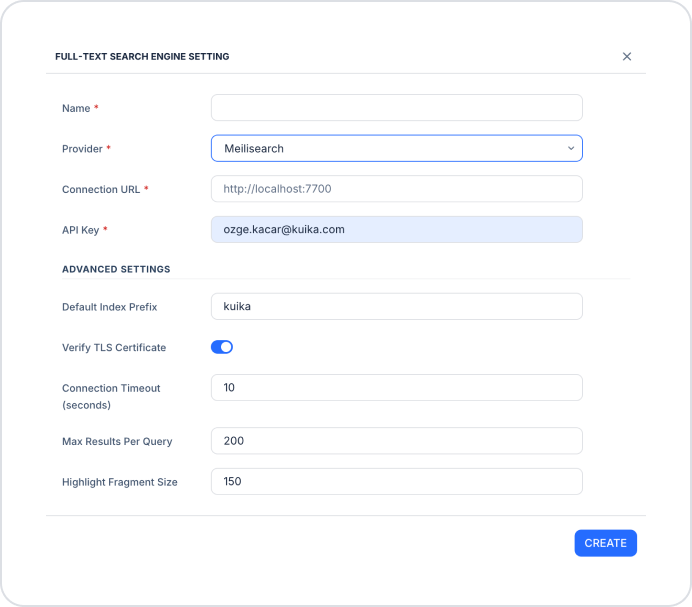
In the Full-Text Search Engine Settings window that opens, fill in the following fields.
Basic Settings
Name (required): The name given to the search engine configuration.
Provider (required): Specifies the search engine to be used. Supported values:
OpenSearch
ElasticSearch
Meilisearch
Connection URL (required): The access URL for the search engine. Examples:
OpenSearch: https://opensearch:9200
ElasticSearch: https://elasticsearch:9200
Meilisearch: http://localhost:7700
The authentication fields vary depending on the selected provider:
For OpenSearch and ElasticSearch:
Username: The username for the search engine (optional).
Password: The password for the search engine (optional).
For Meilisearch:
API Key (required): The API key used to access the Meilisearch server.
Advanced Settings
In the Advanced Settings section of the window, you can configure the following advanced settings:
Default Index Prefix: Sets the prefix for all indexes to be created. The default value is kuika.
Verify TLS Certificate: Determines whether TLS certificate verification should be performed. It is enabled by default.
Connection Timeout (seconds): The timeout duration in seconds for requests made to the search engine. The default value is 10.
Max Results Per Query: The maximum number of results that can be returned for a query. The default value is 200.
Highlight Fragment Size: The character length of text fragments highlighted in search results. The default value is 150.
Create and Save the Configuration
After filling in all fields, click the Create button.
Select the configuration you created from the Full-Text Search Engine dropdown menu.
Click the Save button in the upper-right corner to save your changes. (In an existing configuration, this button appears as Update.)
Supported Search Engines
The Kuika platform supports the following search engines:
OpenSearch: The default and recommended search engine.
ElasticSearch: Suitable for advanced and large-scale search scenarios.
Meilisearch: Ideal for projects requiring a lightweight and quick setup.
How It Works
Data is not searched directly; it is first indexed, then searched.
Search results are returned based on relevance (sorted by relevance).
It delivers high performance with large datasets.
System Behavior
If the search engine is not configured, the system operates in passive mode. In this case:
Search actions do not return errors.
However, they return empty results.
Important Notes
The Connection URL must be accessible.
The provider must be selected correctly.
The TLS setting must be compatible with the certificate structure in use.
If the Max Results Per Query value is set too high, performance may decrease.
Data must be indexed to enable searching.
Expected Result
Once configuration is complete:
Fast and advanced searches can be performed in the application.
High-performance results are achieved with large datasets.