Authentication Cookies allow you to configure the cookie-based authentication behavior of the application you are developing on the Kuika platform. With these settings, you can control how auth cookies are transmitted in cross-site requests and in HTTP/HTTPS environments.
These settings are located in the Config Manager module under the App Settings tab and affect only the application using the selected configuration.
Authentication Cookies Steps
1. Open the Configuration
Log in to the Kuika platform.
From the Apps screen, open the project you’ll be working on.
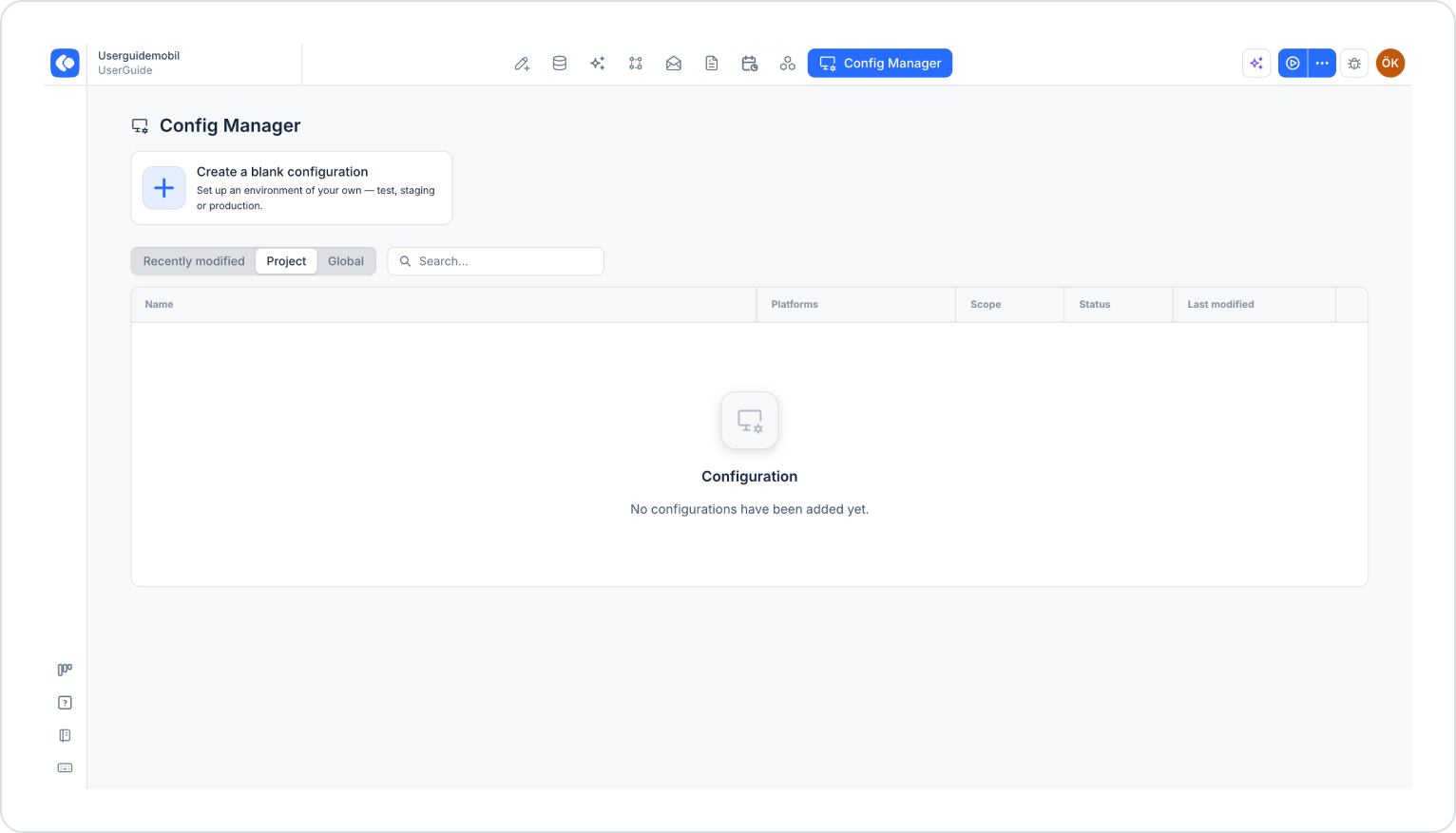
Click the Config Manager module in the top menu.
Click the name of the configuration you want to edit from the list. If you don’t have a configuration yet, create a new one using the Create a blank configuration card.
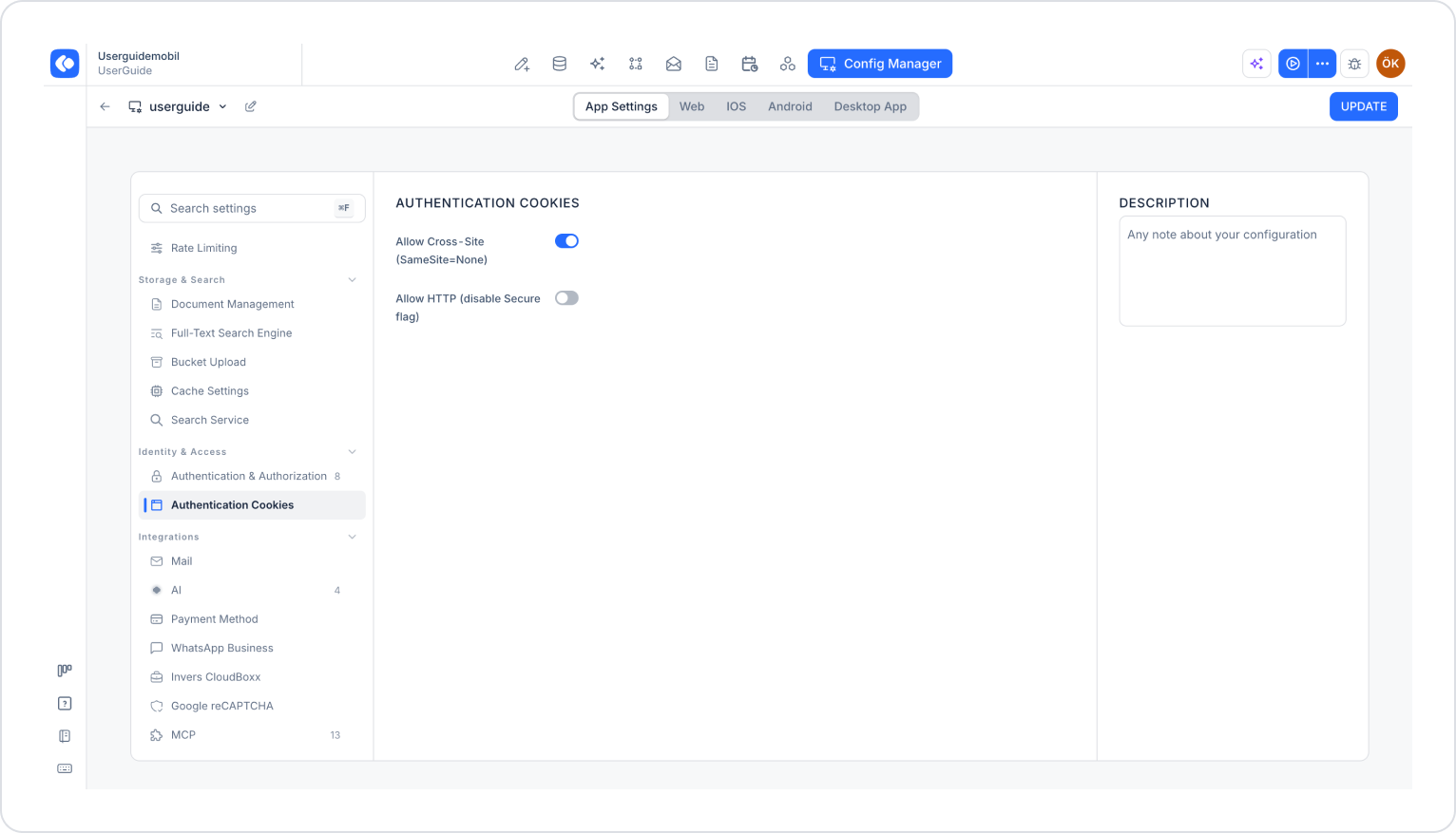
Make sure the App Settings tab is selected at the top of the configuration screen.
In the left menu, click the Authentication Cookies option under the IDENTITY & ACCESS heading.
2. Allow Cross-Site (SameSite=None)
The Allow Cross-Site (SameSite=None) option determines whether auth cookies are carried across requests from different domains.
When enabled: Cookies are marked as SameSite=None and are sent in cross-site requests. This setting must be enabled if your application runs in an iframe or receives API calls from a different domain.
When disabled: The browser adds cookies only to requests originating from the same domain.
3. Allow HTTP (Disable Secure Flag)
Allow HTTP (disable Secure flag) determines whether auth cookies can be transmitted over HTTP connections.
When enabled: The Secure flag is removed from cookies, and cookies can be transmitted over HTTP connections.
When disabled: Cookies are marked as Secure and are transmitted only over HTTPS connections.
When the Cross-Site setting is enabled, the Allow HTTP setting must be disabled. Modern browsers require cookies marked as SameSite=None to carry the “Secure” attribute. Since “Secure” cookies cannot be transmitted over HTTP, cross-site scenarios must use the HTTPS protocol.
4. Using the Cross-Site and HTTP Settings Together
These two settings directly affect each other and cannot be configured independently:
Cross-Site enabled, Allow HTTP disabled: The transmission of auth cookies in cross-site requests is permitted. Cookies are marked as SameSite=None; Secure and are transmitted only over HTTPS.
Cross-Site off, Allow HTTP off: Cookies are transmitted only in same-site requests and over HTTPS.
Cross-Site off, Allow HTTP on: The Secure flag is removed from cookies, and cookies can also be transmitted over HTTP connections. Not recommended in production environments.
Cross-Site enabled, Allow HTTP enabled: This configuration is not supported.
5. Save the Settings
After configuring the settings, click the Save button in the upper-right corner. (In an existing configuration, this button appears as Update.)